
OBS Proxy Setup: Complete Guide to Stream Without Revealing Your IP
OBS proxy setup has become essential for content creators seeking to protect their personal information while streaming live content through popular broadcasting platforms. Modern streaming environments expose broadcasters to significant privacy risks, including IP address tracking, geographical identification, and potential targeted attacks from malicious viewers. Understanding proper streaming proxy configuration enables content creators to maintain anonymity while preserving broadcast quality and platform compatibility, making it a crucial skill for professional streamers and privacy-conscious content creators throughout 2025.
The complexity of hide IP while streaming implementations extends beyond basic proxy configuration, encompassing streaming protocol optimization, bandwidth management, and platform-specific compatibility requirements. Standard proxy solutions often struggle with real-time streaming protocols, leading to dropped frames, increased latency, or complete connection failures during critical broadcast moments. Modern OBS Studio installations require specialized proxy configurations that maintain streaming stability while providing comprehensive IP address protection and geographic location masking capabilities.
OBS Streaming Privacy Risks: The Modern Reality
- Real-time IP address tracking by viewers and platforms
- Geographic location identification through IP databases
- ISP information exposure revealing service providers
- Potential for targeted DDoS attacks on home networks
- Cross-platform tracking linking streaming identities
- Chat log correlation with IP address information
- Stream schedule analysis for activity pattern tracking
- Multi-platform identity linking through network signatures
- Social engineering attempts using location data
- Harassment campaigns targeting home internet connections
- Bandwidth flooding attacks during live broadcasts
- Port scanning attempts targeting streaming protocols
- Man-in-the-middle attacks on unencrypted connections
- Network reconnaissance for future attack planning
- Home network mapping through streaming metadata
Streaming proxy configuration for OBS Studio involves understanding the fundamental differences between direct streaming connections and proxy-mediated broadcasts. Unlike web browsing or file downloading, live streaming requires consistent bidirectional data flow with minimal latency tolerance, making proxy selection and configuration critical for maintaining broadcast quality. The RTMP (Real-Time Messaging Protocol) used by most streaming platforms demands stable connections that can handle sustained high-bandwidth uploads without interruption or significant delay introduction.
The distinction between transparent streaming protection and explicit proxy configuration affects both setup complexity and performance characteristics. Transparent proxy implementations operate at the network level, automatically routing all OBS traffic through proxy servers without requiring application-specific configuration changes. Explicit streaming proxy configuration provides greater control over which streams utilize proxy protection while enabling selective routing based on content sensitivity, audience requirements, or platform-specific privacy needs.
OBS proxy setup requirements vary significantly based on streaming platform compatibility, bandwidth demands, and geographic location requirements. Popular streaming platforms including Twitch, YouTube, and Facebook Gaming implement different network protocols and security measures that affect proxy effectiveness and configuration complexity. Understanding these platform-specific requirements enables optimal proxy selection and configuration strategies that maintain streaming quality while providing comprehensive IP address protection.
OBS Studio Proxy Requirements Analysis
RTMP Protocol Support
Real-Time Streaming: Continuous data flow maintenance
Low Latency: Sub-2 second delay tolerance
Connection Stability: Uninterrupted stream delivery
Protocol Compatibility: RTMPS and SRT support
High Bandwidth Capacity
Upload Speeds: 3-8 Mbps sustained throughput
Quality Streaming: 1080p/60fps capability
Burst Handling: Peak bitrate accommodation
Multiple Streams: Concurrent platform broadcasting
IP Address Masking
Complete Anonymity: Real IP address concealment
Location Spoofing: Geographic origin masking
ISP Hiding: Provider identification protection
Network Fingerprinting: Connection signature obfuscation
Security and Encryption
TLS Encryption: End-to-end stream protection
Authentication: Secure proxy access control
DDoS Protection: Attack mitigation capabilities
Zero Logging: Activity tracking prevention
Platform Compatibility
Multi-Platform Support: Twitch, YouTube, Facebook Gaming
Custom RTMP: Self-hosted streaming server support
Adaptive Streaming: Bitrate optimization features
Failover Systems: Backup stream redundancy
Performance Monitoring
Real-Time Metrics: Stream health monitoring
Latency Tracking: Delay measurement tools
Quality Analysis: Frame drop detection
Connection Stability: Uptime reliability reporting
Streaming proxy configuration procedures require systematic approach beginning with proxy service selection based on streaming-specific requirements. SOCKS5 proxies provide optimal compatibility with OBS Studio’s networking protocols, supporting both TCP and UDP traffic necessary for comprehensive streaming functionality. HTTP proxies typically prove insufficient for streaming applications due to protocol limitations that prevent proper RTMP stream delivery and real-time communication requirements.
Network-level proxy implementation offers the most transparent approach for hide IP while streaming, requiring minimal OBS configuration changes while providing comprehensive traffic protection. Router-level proxy configuration ensures all streaming traffic routes through proxy servers automatically, eliminating the need for application-specific settings and reducing configuration complexity. This approach benefits content creators managing multiple streaming applications or requiring consistent IP masking across diverse broadcasting tools.
Application-specific proxy configuration provides granular control over streaming traffic routing while maintaining direct connections for non-streaming activities. OBS Studio supports proxy configuration through custom streaming server settings, enabling precise control over which streams utilize proxy protection. This selective approach optimizes bandwidth usage and minimizes latency for streams requiring maximum performance while maintaining privacy protection for sensitive content broadcasts.
OBS Proxy Setup: Implementation Methods
- Access router administration panel through web browser interface
- Navigate to network settings and locate proxy configuration options
- Enter SOCKS5 proxy server address and authentication credentials
- Configure proxy routing for all connected devices automatically
- Verify proxy functionality using IP checking tools and services
- Test OBS streaming connectivity and monitor stream stability
- Configure DNS settings to prevent potential IP address leaks
- Document configuration settings for future reference and troubleshooting
- Launch OBS Studio and navigate to Settings menu from main interface
- Select Stream tab and choose Custom streaming server option
- Enter proxy-enabled streaming server URL in server field
- Configure stream key and authentication parameters as required
- Test stream connection using OBS built-in connectivity verification
- Adjust encoder settings to optimize stream quality through proxy
- Monitor stream performance metrics during initial test broadcasts
- Save configuration profile for consistent proxy streaming setup
- Install and configure SOCKS5 proxy client software on streaming computer
- Create secure tunnel connection to premium proxy service provider
- Configure local SOCKS5 server for OBS traffic routing
- Set up traffic filtering rules to isolate streaming applications
- Implement connection monitoring and automatic failover mechanisms
- Configure advanced encryption settings for maximum security
- Test streaming performance under various network load conditions
- Optimize buffer settings and connection parameters for stability
Performance optimization strategies become crucial for maintaining professional streaming quality while utilizing proxy connections for IP address protection. Encoder settings require adjustment to accommodate additional latency introduced by proxy routing, typically requiring 10-15% higher buffer allocation to prevent frame drops during peak traffic periods. Bitrate configuration must balance streaming quality requirements with available proxy bandwidth capacity, ensuring consistent delivery without overwhelming proxy server resources.
Troubleshooting common streaming proxy configuration issues requires systematic diagnostic approaches that identify connection bottlenecks, protocol incompatibilities, and performance degradation sources. Connection timeout problems frequently result from proxy server overload or insufficient bandwidth allocation, while authentication failures typically indicate incorrect credential configuration or expired proxy service accounts. Understanding diagnostic tools and monitoring techniques enables rapid resolution of streaming interruptions and quality issues.
Quality assurance procedures ensure consistent streaming performance and IP protection effectiveness throughout extended broadcast sessions. Regular connectivity testing using proxy checker services verifies proper IP masking and connection stability, while stream health monitoring identifies potential issues before they impact audience experience. Automated failover systems provide backup proxy connections that activate seamlessly during primary connection failures, maintaining uninterrupted streaming service.
Premium streaming proxy services offer specialized solutions optimized for content creation requirements, with providers like StreamProxy ($29.99/month) and BroadcastVPN ($34.95/month) offering dedicated streaming infrastructure with guaranteed bandwidth allocation. These services provide streaming-specific features including automatic failover systems, real-time performance monitoring, and specialized customer support familiar with OBS Studio configuration requirements. Budget alternatives include general-purpose SOCKS5 providers like ProxyRack ($9.95/month) and MyPrivateProxy ($12.99/month) that offer adequate performance for casual streaming applications.
Geographic server selection significantly impacts streaming proxy configuration effectiveness and performance characteristics. Content creators targeting specific audience regions benefit from proxy servers located near major streaming platform data centers, reducing latency and improving stream quality. US East Coast proxies optimize performance for Twitch’s primary infrastructure, while European servers provide better connectivity for YouTube’s Amsterdam-based streaming nodes. Understanding these geographic considerations enables strategic proxy location selection that maximizes streaming performance while maintaining IP address protection.
Advanced streaming proxy configuration techniques enable sophisticated content creation workflows that support multiple platforms, backup streaming systems, and comprehensive privacy protection. Multi-stream configuration allows simultaneous broadcasting to multiple platforms through different proxy endpoints, diversifying audience reach while maintaining IP address protection across all streaming services. Automated stream recording through proxy connections enables content archival without exposing creator location information in metadata or connection logs.
OBS Streaming Proxy Best Practices
- Choose proxy providers with verified no-logging policies and jurisdiction
- Enable DNS leak protection to prevent IP address exposure
- Configure kill switches that stop streaming if proxy connection fails
- Use strong authentication methods for proxy service access
- Regularly verify IP masking effectiveness using testing tools
- Implement proper firewall rules to prevent direct connections
- Select proxy servers with dedicated streaming optimization features
- Test multiple server locations to find optimal latency and throughput
- Configure appropriate encoder buffer sizes for proxy latency
- Monitor stream health metrics during proxy-enabled broadcasts
- Adjust bitrate settings to accommodate proxy bandwidth limitations
- Implement backup proxy configurations for automatic failover
- Document proxy configuration settings for different streaming scenarios
- Create separate OBS profiles for proxy and direct streaming modes
- Test proxy functionality before important live streaming events
- Maintain current proxy service credentials and connection details
- Configure custom streaming servers for maximum control
- Keep proxy client software updated for security and performance
- Monitor real-time streaming metrics including frame drops and latency
- Track proxy connection stability and automatic reconnection events
- Analyze stream quality degradation patterns during proxy usage
- Set up alerts for connection failures or performance issues
- Document optimal settings for different streaming platforms
- Regularly benchmark proxy performance against direct connections
Future developments in streaming proxy technology focus on artificial intelligence-driven optimization systems that automatically adjust proxy configurations based on real-time streaming performance metrics. Machine learning algorithms analyze connection patterns, bandwidth utilization, and quality metrics to optimize proxy routing decisions dynamically, minimizing latency while maintaining IP address protection. Integration with content delivery networks enables intelligent traffic routing that balances privacy protection with optimal streaming performance across global audience distributions.
The evolution of streaming platform security measures continues driving innovation in proxy service offerings, with providers developing specialized solutions for content creators. Next-generation streaming proxies incorporate advanced traffic obfuscation techniques that make proxy usage virtually undetectable while maintaining compliance with platform policies. These specialized services command premium pricing but deliver superior reliability and performance for professional content creators requiring consistent IP address protection without compromising streaming quality or audience experience.
OBS Proxy Setup: Frequently Asked Questions
Proxy usage can impact streaming quality, but proper configuration minimizes performance degradation. High-quality dedicated streaming proxies typically add 15-50ms latency and may reduce available bandwidth by 5-15%. Key factors include proxy server location, network capacity, and configuration optimization. Premium streaming proxy services specifically designed for content creators offer minimal performance impact while providing comprehensive IP address protection. Free proxies should be avoided for streaming due to severe performance limitations and reliability issues.
SOCKS5 proxies provide optimal compatibility and performance for OBS streaming applications. Unlike HTTP proxies, SOCKS5 supports all traffic types necessary for streaming protocols including RTMP, RTMPS, and SRT. Dedicated streaming proxies offer the best performance with guaranteed bandwidth allocation and low latency optimization. Residential proxies provide superior anonymity but may have variable performance characteristics. VPN services work adequately for casual streaming but typically introduce higher latency compared to dedicated proxy solutions.
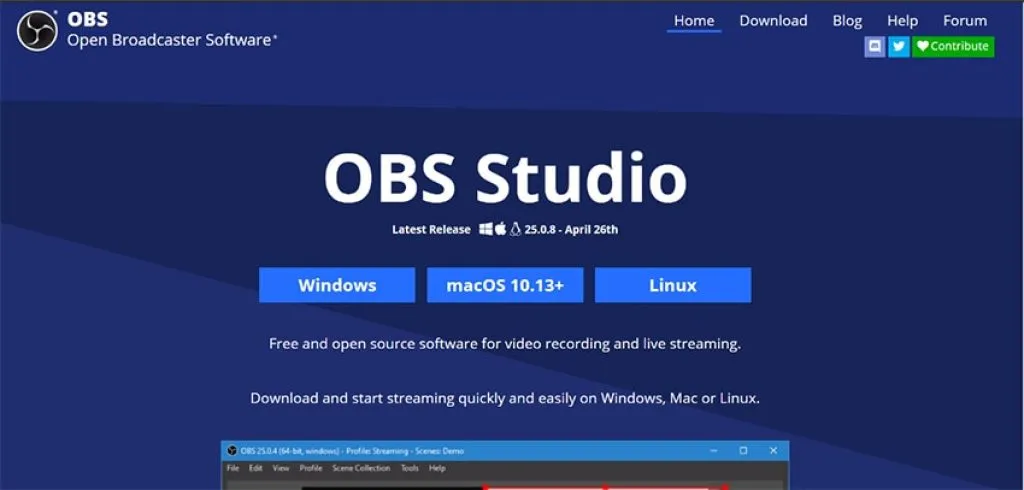
OBS proxy configuration depends on your chosen implementation method. For network-level setup, configure proxy settings in your router or system network preferences. For application-specific configuration: open OBS Settings > Stream > select Custom streaming server, enter your proxy-enabled server URL, and configure authentication credentials. Advanced users can implement SOCKS5 tunneling through proxy client software. Always test stream connectivity and monitor performance metrics after configuration changes to ensure optimal streaming quality.
Quality streaming proxy services typically cost $15-45 monthly depending on features and performance requirements. Budget options ($8-15/month) provide basic SOCKS5 functionality suitable for casual streaming. Premium dedicated streaming services like StreamProxy ($29.99/month) and BroadcastVPN ($34.95/month) offer optimized infrastructure with guaranteed bandwidth. Residential proxy services cost $15-30/month for enhanced anonymity. Enterprise solutions for professional content creators range from $50-100/month with advanced features and priority support.
Platform detection capabilities vary significantly based on proxy quality and configuration. High-quality residential and dedicated streaming proxies are typically undetectable when properly configured. Detection methods include IP geolocation databases, connection pattern analysis, and WebRTC leak detection. Premium proxy services implement advanced obfuscation techniques and maintain clean IP reputations to avoid detection. Free proxies and low-quality services are easily detected and may result in streaming restrictions. Proper DNS leak protection and kill switch configuration are essential for maintaining anonymity.
Connection instability typically results from proxy server overload, insufficient bandwidth, or configuration issues. Troubleshooting steps include: testing different proxy server locations, reducing stream bitrate temporarily, checking proxy service status pages, verifying authentication credentials, implementing automatic reconnection settings in OBS, and contacting proxy provider support for server-specific issues. Maintain backup proxy configurations for quick switching during connection problems. Consider upgrading to dedicated streaming proxy services if stability issues persist with shared services.
Using proxies for privacy protection during streaming is generally legal, but platform policies vary regarding proxy usage. Most streaming platforms don’t explicitly prohibit proxy usage for privacy purposes, but may restrict circumventing geographic content restrictions or creating multiple accounts. Review specific platform Terms of Service before implementing proxy solutions. Focus on legitimate privacy protection rather than attempting to bypass platform restrictions. Responsible proxy usage for personal security and anonymity typically doesn’t violate platform policies when used transparently and ethically.
Streaming proxy configuration success ultimately depends on balancing privacy protection requirements with streaming performance demands while maintaining ethical content creation practices. The investment in quality proxy services provides long-term benefits including comprehensive IP address protection, enhanced security against targeted attacks, and professional-grade streaming infrastructure that supports consistent content delivery. As privacy consciousness increases among content creators and streaming platform security measures evolve, mastering OBS proxy setup becomes essential for maintaining competitive streaming operations while protecting personal information and ensuring sustainable content creation careers.