7 Best Proxies for Selenium Web Scraping in 2026
Zero. That’s how many login methods Chrome supports for SOCKS5 proxies, according to Chromium’s own networking docs. So the best proxies for Selenium aren’t just the biggest names. They’re the ones that let your script connect without typing a password into a browser that won’t read it. GoToProxy earns a commission on some links here at no extra cost to you.
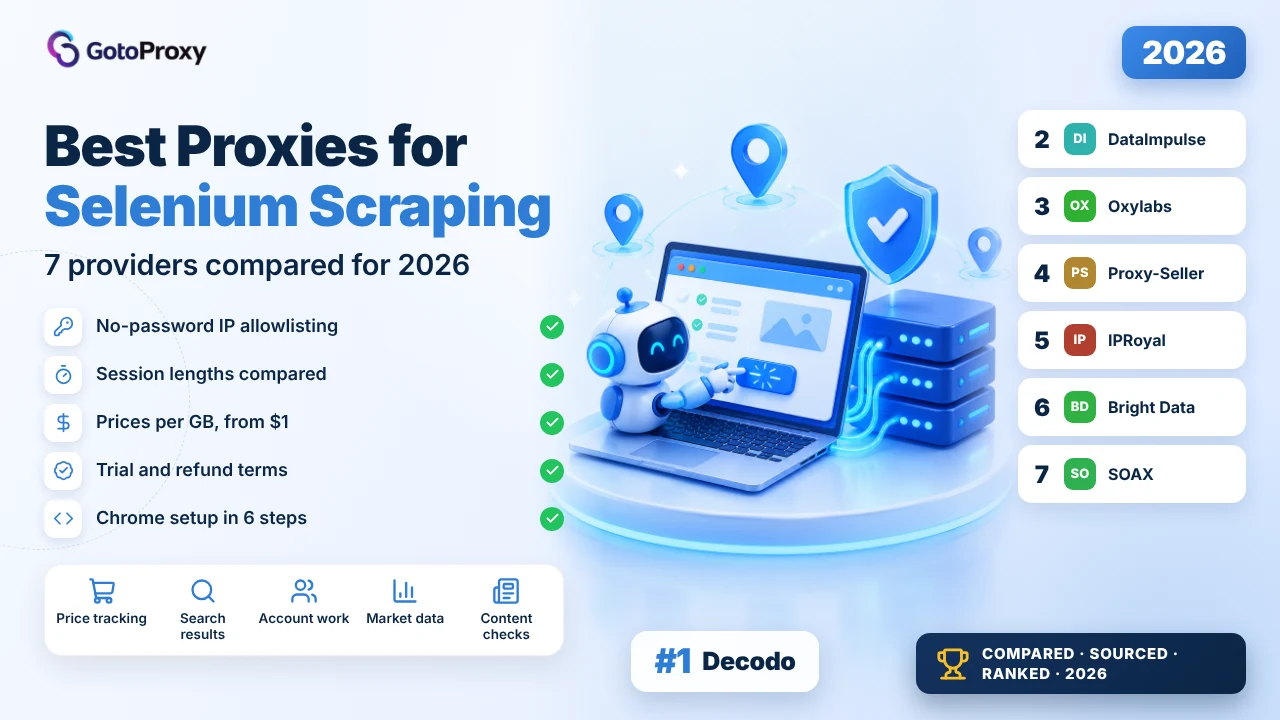
The best proxies for Selenium in 2026 are Decodo, DataImpulse and Oxylabs. Decodo costs $4 per GB with no monthly plan and adds a 3-day trial. DataImpulse is the cheapest at $1 per GB. Oxylabs holds one IP for up to 24 hours and allows unlimited browsers at once. All three let you allowlist your own IP, so Chrome never asks for a password.
- Check the allowlist first. Chrome ignores a username and password placed in the proxy address. Six of the seven providers here say an allowlisted IP can connect without one.
- Watch the price per GB. A real browser downloads every image and script. DataImpulse charges $1 per GB, Decodo $4, Oxylabs $6 on its smallest plan.
- Match the session to the job. IPRoyal keeps the same IP for up to 7 days, Oxylabs for 24 hours, DataImpulse for 120 minutes and Decodo for 30 minutes.
What is a Selenium proxy?
A Selenium proxy is a middle server that your automated browser sends its traffic through. Selenium (a free tool that drives a real browser with code) opens pages just like you would. The proxy swaps your IP address (the number that identifies your internet connection) for a different one. The website sees the proxy’s address, not yours.
Most people pair Selenium with residential proxies. Those are IP addresses that belong to real home internet connections, so a visit through one looks like an ordinary person browsing. Datacenter proxies come from cloud servers instead. They cost less, and strict sites block them faster.
Two words come up in every pricing table. Rotating means the IP changes, either on each request or after a set time. Sticky means you keep the same IP for a while. Our guide to rotating proxies explained covers the mechanics.
One thing sets Selenium apart from a simple script. A real browser downloads everything on the page: images, fonts, tracking scripts, video previews. Most residential plans bill by the gigabyte, so heavy pages cost real money. That’s why price per GB sits near the top of this ranking.
Short version: the proxy hides where the browser is. You still pay for everything the browser loads.
Why does Selenium need a proxy at all?
Because one IP address loading hundreds of pages looks nothing like a person. Sites notice. Then they slow you down, show a CAPTCHA (a puzzle that checks you’re human), or block the address. A proxy pool spreads those visits across many addresses. If you’re new to this, start with our overview of proxies for web scraping.
- Fewer blocks: Too many page loads from one address gets it blocked. Rotation gives each visit a fresh one.
- Local results: Prices and search results change by country. A proxy in that country shows you what people there see.
- Stable logins: A sticky session keeps one IP while your script is signed in. The site doesn’t watch your account jump between cities.
- Parallel browsers: Ten browsers from one IP is an easy pattern to spot. Give each browser its own address.
- A clean home IP: If an address gets blocked, it’s the proxy’s. Your home or office connection stays out of it.
How do you set up a proxy in Selenium?
You pass the proxy address to the browser when you start it. Here’s the detail most people get wrong: Chrome won’t accept a username and password in that address. Chromium’s docs say Chrome will not use any credentials embedded in the proxy settings. So use IP allowlisting. You tell the provider which IP your machine has, and it lets that machine in with no login.
- Find your own IPOn the machine that will run Selenium, open any ‘what is my IP’ page and copy the address.
- Add it to the allowlistIn the provider’s dashboard, add that address to the allowlist (some dashboards say whitelist). IPRoyal’s docs say this lets you connect with just
HOST:PORT. - Copy the gatewayThe dashboard shows a host and a port for the country and session type you picked. Copy both.
- Start Chrome with the proxyAdd
--proxy-server=http://HOST:PORTto your Chrome options. The full script is below. - Check the exit IPLoad
https://httpbin.org/ipin the driver and print the page. You should see the proxy’s address, not your own. - Choose rotating or stickyScraping lots of separate pages? Use rotating. Signing in or filling a multi-step form? Use sticky, so the IP holds until you’re done.
from selenium import webdriver

options = webdriver.ChromeOptions()
options.add_argument("--proxy-server=http://HOST:PORT")

driver = webdriver.Chrome(options=options)
driver.get("https://httpbin.org/ip")
print(driver.page_source)
driver.quit()
Selenium’s documentation also shows a built-in way to do the same thing. Its browser options page sets options.proxy with a Proxy object of type MANUAL. Both routes end in the same place: Chrome gets a host and a port.
Older tutorials tell you to install Selenium Wire to send a proxy password. Skip that for a new project. Its GitHub repository was archived by the owner on January 3, 2024, and the README says it is no longer being maintained.
What if your own IP keeps changing, as it does on many home connections? Then the allowlist goes stale. Run the script from a server with a fixed IP, or put a small forwarding program on your machine that adds the password for you and point Chrome at that.
Bottom of the setup: allowlist your IP, pass a host and a port, check the exit address.
Which are the best proxies for Selenium in 2026?

Decodo is the easy first pick. You pay $4 per GB with no monthly plan, you can allowlist your IP so Chrome never asks for a password, and there’s a 3-day trial plus a 14-day money-back window. The one limit: a sticky session tops out at 30 minutes.

Start with the price. The pricing page lists pay as you go at $4 per GB. Buy a monthly plan and the rate drops: 3 GB is $11.25, 10 GB is $35 and 50 GB is $150. That works out to $3.75, $3.50 and $3.00 per GB. Prices exclude VAT, so add your local tax.
For Selenium, the login method matters more than the pool size. Decodo says you can authenticate with username:password or with whitelisted IPs. Choose the second. Your script then starts Chrome with a plain host and port, and no password box ever appears.
The weak spot is session length. Decodo lists sticky sessions of up to 30 minutes. That’s plenty for scraping product pages. It’s tight if your script signs in and works through a slow checkout or a long form. For those jobs, look at IPRoyal or Oxylabs further down.
- 115M+ residential IPs in 195+ locations (advertised)
- HTTP(S) and SOCKS5
- Sticky sessions up to 30 minutes
- Username:password or whitelisted IPs
- Targeting down to city, ZIP code and ASN (the network an IP belongs to)
- A first Selenium project on a small budget
- Scraping many separate pages with rotation
- Trying before you pay: 100 MB over 3 days
- $4 per GB with no monthly plan
- 3-day free trial and 14-day money-back
- IP allowlist, so no password prompt in Chrome
- 99.92% advertised success rate
- Sticky sessions stop at 30 minutes
- Prices exclude VAT
- The pricing page doesn’t list a limit on concurrent sessions
| Plan | Price | Traffic | Per GB |
|---|---|---|---|
| Pay as you go | $4 per GB | Any amount | $4.00 |
| 3 GB | $11.25 a month | 3 GB | $3.75 |
| 10 GB | $35 a month | 10 GB | $3.50 |
| 50 GB | $150 a month | 50 GB | $3.00 |
| 100 GB | $275 a month | 100 GB | $2.75 |
The money-back offer comes with conditions listed on the page, so read them before you count on a refund. The page also doesn’t say how many browsers you can run at once. Ask support if you plan to run dozens in parallel.
Verdict: The best first choice for most Selenium scrapers, unless you need one IP for more than 30 minutes. Read the full Decodo review →

DataImpulse is the budget pick, and it isn’t close. $5 buys 5 GB, the traffic never expires, and authorization by IP is on the feature list. The trade-offs: the slowest advertised response time on this list, and city-level targeting costs extra.

Selenium is hungry. A real browser downloads images, scripts and fonts on every page, and you pay for all of it. At $1 per GB, DataImpulse takes the sting out. The Intro plan is $5 for 5 GB. Basic is $50 for 50 GB. At 1 TB the rate drops to $0.80 per GB.
The basics for Selenium are covered. The site lists authorization by IP, sticky sessions of up to 120 minutes, and both HTTP(S) and SOCKS5. Two hours is enough for most logged-in work.
So what do you give up? The site puts its response time at about 1 second. The other six advertise between 0.35 and 0.7 seconds. Country targeting is free, but state, city, ZIP and ASN targeting come with what the site calls a small extra fee.
- 90M+ residential IPs in 195+ countries (advertised)
- HTTP(S) and SOCKS5
- Sticky sessions up to 120 minutes
- Authorization by IP, or login and password
- Traffic never expires
- Image-heavy pages that burn through data
- Side projects with no monthly budget
- Jobs that only need country-level targeting
- $1 per GB from the first purchase
- Traffic never expires
- 7-day refund policy
- Authorization by IP
- About 1 second advertised response time, the slowest of the seven
- State and city targeting cost extra
- No limit on concurrent sessions is listed
| Plan | Price | Traffic | Per GB |
|---|---|---|---|
| Intro | $5 | 5 GB | $1.00 |
| Basic | $50 | 50 GB | $1.00 |
| Advanced | $800 | 1 TB | $0.80 |
| Custom+ | From $4,000 | 5 TB or more | Custom |
The extra fee for city-level targeting isn’t priced on the pages we read. If your job needs one specific city, get that number before you buy.
Verdict: The cheapest sensible way to feed a data-hungry Selenium script.

Oxylabs suits a crawl that has outgrown a hobby budget. Sessions hold for up to 24 hours, concurrent sessions are unlimited, and whitelisted IPs are supported. The smallest plan is $30 a month for 5 GB.
Oxylabs lists a pool of 175M+ residential IPs in 195 countries. Size isn’t the main reason to pick it for Selenium, though. The reason is how it handles many browsers at once: the page states unlimited concurrent sessions.
Sessions last up to 24 hours. That covers almost any login flow, and it’s long enough to keep one identity through a full day of scripted clicks. You can sign in with a username and password or with whitelisted IPs.
The entry price is the hurdle. Starter is $30 a month for 5 GB, which is $6 per GB. Basic is $100 for 20 GB, or $5 per GB. Advanced is $500 for 125 GB, or $4 per GB. So the rate only matches Decodo’s pay as you go price once you reach the Advanced plan.
- 175M+ residential IPs in 195 countries (advertised)
- HTTP(S), HTTP3 and SOCKS5
- Sticky sessions up to 24 hours
- Unlimited concurrent sessions
- User authentication or whitelisted IPs
- Dozens of browsers running in parallel
- Sessions that last a full day
- Teams that will use 20 GB or more a month
- 24-hour sticky sessions
- Unlimited concurrent sessions
- 99.95% advertised success rate
- Free trial
- $30 a month minimum
- $6 per GB on the smallest plan
- The free trial is available only once
| Plan | Price | Traffic | Per GB |
|---|---|---|---|
| Starter | $30 a month | 5 GB | $6.00 |
| Basic | $100 a month | 20 GB | $5.00 |
| Advanced | $500 a month | 125 GB | $4.00 |
| Corporate | $2,500 a month | 1 TB | $2.50 |
The page gives an average response time of 0.6 seconds and an average success rate of 99.95%. Both are the provider’s own averages. The page doesn’t state an uptime figure.
Verdict: Worth the monthly bill once your Selenium job runs many browsers for hours. Read the full Oxylabs review →

Proxy-Seller is the pick when you want an IP that never changes. It sells static addresses by the piece, from $0.49 for IPv4 and $0.98 for ISP (an address registered to an internet provider but hosted in a data center). Its residential pool is the smallest here, and the refund window closes after 24 hours.

Most providers on this list rent you a slice of a rotating pool. Proxy-Seller also sells single addresses, priced per IP instead of per GB. A static IPv4 proxy starts at $0.49 and an ISP proxy at $0.98. If each Selenium profile should always appear from the same place, that’s a simple setup.
It has a rotating residential pool as well: 47M+ IPs in 220+ locations. The test plan is $3.50 per GB for 30 days, and volume plans start at $1.45 per GB. You can rotate by time, rotate by request, or hold a sticky IP.
Both login styles are there. The residential page lists username and password authentication or IP allowlisting, along with unlimited concurrent sessions. It also advertises a response time of about 0.35 seconds, the fastest figure of the seven.
- 47M+ residential IPs in 220+ locations (advertised)
- HTTP, HTTPS and SOCKS5
- Static IPv4, ISP, mobile and IPv6 proxies sold per IP
- Username and password, or IP allowlisting
- Unlimited concurrent sessions on residential
- One fixed IP per account
- Small tests: residential at $3.50 per GB
- Profiles that must always appear from one city
- Static IPs from $0.49
- About 0.35 s advertised response time
- Unlimited concurrent sessions
- Allowlisting and password login
- Refund or replacement only within 24 hours
- Smallest residential pool on this list (47M+)
- A static IP can’t rotate, so it’s the wrong tool for high-volume scraping
| Plan | Price | Traffic | Per GB |
|---|---|---|---|
| Residential test | $3.50 per GB | 30 days | $3.50 |
| Residential volume | From $1.45 per GB | 30 days | $1.45 |
| Static IPv4 | From $0.49 per IP | Priced per IP | n/a |
| ISP | From $0.98 per IP | Priced per IP | n/a |
The $0.30 per GB shown on the homepage is the enterprise floor, not what a small buyer pays. The pages we read don’t say whether unused residential traffic expires.
Verdict: Choose it for fixed IPs you rent by the piece. Choose something else for large rotating crawls. Read the full Proxy-Seller review →

IPRoyal fits scripts that stay signed in. It keeps the same IP for up to 7 days, and its docs say an allowlisted IP connects with just HOST:PORT. Traffic you buy doesn’t expire. You pay for all that: 1 GB is $7.

Session length is the headline. IPRoyal’s residential page says you can keep the same proxy for up to 7 days. Most rivals count in minutes or hours. If your Selenium job logs into an account today and comes back to it tomorrow, that matters.
The allowlist is spelled out clearly too. IPRoyal’s documentation says whitelisting removes the need for authentication credentials and lets you connect using just the HOST:PORT format. That is exactly what Chrome needs.
Now the cost. On a subscription, 1 GB is $7.00, 2 GB is $11.90 and 10 GB is $52.50. Pay as you go runs about 5% higher, at $7.35 for 1 GB. A real browser eats data fast, so a small plan won’t last long. The upside: the pricing page says your traffic stays available until you use it.
- 64M+ IPs in 195+ countries (advertised)
- HTTP(S) and SOCKS5
- The same IP for up to 7 days
- Unlimited concurrent sessions
- Country, state and city targeting
- Accounts you log into again and again
- Slow, multi-step forms
- Occasional jobs: unused traffic stays on your balance
- Sticky sessions up to 7 days
- Allowlisted IPs connect without a login
- Traffic doesn’t expire
- Unlimited concurrent sessions
- $7 per GB at the 1 GB tier
- 99.4% advertised success rate, the lowest figure of the seven
- No trial or refund terms on the pages we read
| Plan | Price | Traffic | Per GB |
|---|---|---|---|
| 1 GB | $7.00 | 1 GB | $7.00 |
| 2 GB | $11.90 | 2 GB | $5.95 |
| 10 GB | $52.50 | 10 GB | $5.25 |
| From 10 TB | Custom | 10 TB or more | $1.75 |
The prices above are subscription rates. Pay as you go costs $7.35, $12.50 and $55.10 for the same three sizes. Neither the pricing page nor the product page mentions a free trial or a refund window, so ask before a large purchase.
Verdict: Pick IPRoyal when holding one IP for hours or days matters more than the price per GB. Read the full IPRoyal review →

Bright Data has the biggest numbers: 400M+ monthly IPs and free targeting down to ZIP code. It’s also the most work to start with. The list price is $8 per GB, there’s a compliance check before you can use residential IPs, and its docs don’t say the allowlist replaces a login.
If a site keeps blocking you, pool size and location detail start to matter. Bright Data lists 400M+ monthly residential IPs in 195 countries, and its pricing page says country, state, city and ZIP code targeting are free.
Price is where it gets complicated. Pay as you go is listed at $8 per GB. On October 7, 2026 the page showed code RESIGB50 for 50% off for 3 months, which makes it $4. Monthly plans with that code were $499 for 141 GB, $999 for 332 GB and $1,999 for 798 GB. Once the promo ends, the list rates are $7, $6 and $5 per GB.
Two things slow a Selenium beginner down. First, the page says a representative will ask you to go through a short compliance process before you use the residential network. Second, the documentation describes the IP allowlist as a control over where requests may come from. It doesn’t say an allowlisted machine can skip the username and password. Plan for a setup that can send a login.
- 400M+ monthly residential IPs in 195 countries (advertised)
- HTTP/S and SOCKS5
- Sticky and rotating sessions
- Unlimited concurrent sessions
- Country, state, city and ZIP targeting at no extra cost
- Sites that block smaller pools
- Jobs that need a specific city or ZIP code
- Teams with a budget and time for onboarding
- The largest advertised pool
- Free city and ZIP targeting
- Free trial with no credit card
- Unlimited concurrent sessions
- $8 per GB list price
- Compliance check before residential access
- Docs don’t say the allowlist removes the login
| Plan | Price | Traffic | Per GB |
|---|---|---|---|
| Pay as you go | $8 per GB list | Any amount | $4.00 with code |
| 141 GB | $499 a month with code | 141 GB | $7.00 list |
| 332 GB | $999 a month with code | 332 GB | $6.00 list |
| 798 GB | $1,999 a month with code | 798 GB | $5.00 list |
Bright Data’s own pages disagree on one figure. The product page says 99.95% success rate and the pricing page says 99.99%. This article shows the lower one. The promo code may be gone by the time you read this, so check the live price.
Verdict: Powerful, but the price and the onboarding make it a second step, not a first. Read the full Bright Data review →

SOAX lets you start with no subscription. The Sandbox plan has no fee and charges $5 per GB in its top-priced countries, and the pool is big at 155M+ IPs. But the first paid plan is $200 a month, sessions end after 60 seconds without traffic, and payments are generally non-refundable.
SOAX prices by plan and by country group. Sandbox costs nothing per month and charges $5.00 per GB for tier 1 countries, the most expensive group. Builder is $200 a month with 500 credits and a $3.00 rate. Team is $500 with 1,500 credits and a $2.20 rate. The page says one credit is roughly $1 of usage.
For Selenium, check the session rule. SOAX’s developer docs say sessions expire after 60 seconds of inactivity. If your script pauses between steps, waiting for an email code for example, the IP can change under you. Keep some traffic flowing or expect a new address.
The developer docs confirm an IP allowlist for IP-based authentication, and the network supports HTTP(S), SOCKS5 and UDP/QUIC. One thing to clear up before you pay: the pricing page says there’s no trial, while the residential page advertises a 3-day, 400 MB trial for $1.99.
- 155M+ residential IPs in 195+ locations (advertised)
- HTTP(S), SOCKS5 and UDP/QUIC
- Custom session lengths; a session ends after 60 seconds idle
- IP allowlist or package key
- Region, city and ASN targeting
- Sampling a big pool with no monthly fee
- Teams ready for a $200 monthly plan
- Jobs that need ASN targeting
- Sandbox plan with no subscription
- 155M+ advertised IPs
- 99.95% advertised success rate
- IP allowlist
- The first paid plan is $200 a month
- Sessions expire after 60 seconds idle
- Payments are generally non-refundable
| Plan | Price | Traffic | Per GB |
|---|---|---|---|
| Sandbox | $0 a month | No credits | $5.00 |
| Builder | $200 a month | 500 credits | $3.00 |
| Team | $500 a month | 1,500 credits | $2.20 |
| Scale | $1,500 a month | 3,000 credits | $1.50 |
The rates shown are for tier 1 countries. Tier 2 and tier 3 countries cost less: on Sandbox, $4.00 and $2.00 per GB. Credits expire 60 days after you add them. The two SOAX pages give different answers about a trial, so confirm with support.
Verdict: A fair way to sample a large pool for free. Expensive once you commit. Read the full SOAX review →
What do the providers advertise?
These bars put each provider’s own published numbers side by side. Nobody here ran a speed test. Treat every bar as a claim to check during your own trial.
Figures are the ones each provider publishes, checked on October 7, 2026. They are advertised numbers, not test results.
How much do Selenium proxies cost?
Between $1 and $8 per GB at the entry level. A browser uses far more data than a plain script, so run a small job first and read your usage before you choose a plan size.
Pay as you go is $4 per GB. Monthly plans run from $3.75 down to $2.75 per GB. Prices exclude VAT.
- Top up when you need it
- HTTP(S) and SOCKS5
- Whitelisted IPs
- No volume discount
- Same pool and targeting
- 3-day trial first
- 14-day money-back with conditions
- Sticky sessions stop at 30 minutes
- Lower rate per GB
- City, ZIP and ASN targeting
- Prices exclude VAT
$1 per GB from the first 5 GB, and $0.80 per GB at 1 TB. There’s no monthly plan to keep paying.
- Traffic never expires
- Authorization by IP
- 7-day refund policy
- City targeting costs extra
- Same rate as Intro
- Sticky sessions up to 120 minutes
- City targeting costs extra
- Lowest listed rate
- HTTP(S) and SOCKS5
- Large upfront payment
Four monthly plans, from $30 for 5 GB to $2,500 for 1 TB. The rate falls from $6 to $2.50 per GB.
- 24-hour sticky sessions
- Whitelisted IPs
- Highest rate per GB
- Unlimited concurrent sessions
- HTTP(S), HTTP3 and SOCKS5
- Still above $4 per GB
- Matches Decodo’s pay as you go rate
- Same 175M+ pool
- $500 monthly commitment
Residential is $3.50 per GB on the 30-day test plan and from $1.45 on volume plans. Static IPv4 starts at $0.49 per IP and ISP at $0.98.
- 47M+ IPs in 220+ locations
- Rotate or hold a sticky IP
- Refund window is 24 hours
- One fixed address
- HTTP, HTTPS and SOCKS5
- Doesn’t rotate
- Fixed address in an internet provider’s range
- Doesn’t rotate
On a subscription: $7.00 for 1 GB, $5.95 per GB at 2 GB and $5.25 per GB at 10 GB. Pay as you go is about 5% more.
- Traffic doesn’t expire
- Sticky up to 7 days
- IP whitelisting
- Highest rate per GB here
- Unlimited concurrent sessions
- State and city targeting
- No trial listed
- Lowest small-plan rate
- HTTP(S) and SOCKS5
- No refund terms listed
The list price is $8 per GB pay as you go. With code RESIGB50 (50% off for 3 months, shown on October 7, 2026) it’s $4.
- No commitment
- Free city and ZIP targeting
- Compliance check first
- Unlimited concurrent sessions
- 400M+ monthly IPs
- Promo lasts 3 months
- Lower rate per GB
- Promo lasts 3 months
Sandbox has no monthly fee and charges $5.00 per GB in tier 1 countries. Builder is $200 a month at $3.00 per GB. Team is $500 at $2.20.
- No subscription
- IP allowlist
- No credits included
- Lower rate per GB
- HTTP(S), SOCKS5 and UDP/QUIC
- Generally non-refundable
- Region, city and ASN targeting
- Credits expire after 60 days
How do the 7 compare side by side?
One table, the same rows for everyone. Bold marks a clear plus for Selenium. Every cell comes from the provider’s own pages, read on October 7, 2026.
| Decodo Top | DataImpulse | Oxylabs | Proxy-Seller | IPRoyal | Bright Data | SOAX | |
|---|---|---|---|---|---|---|---|
| Entry price | $4 per GB | $1 per GB | $6 per GB | $3.50 per GB | $7 per GB | $8 per GB list | $5 per GB |
| Smallest purchase | Pay as you go | $5 for 5 GB | $30 a month | 30-day test plan | $7 for 1 GB | Pay as you go | $0 Sandbox, then $200 a month |
| IP allowlist | Yes | Yes | Yes | Yes | Yes, no login needed | Access control only | Yes |
| Longest sticky session | 30 minutes | 120 minutes | 24 hours | Static IP available | 7 days | No maximum listed | Custom, ends after 60 s idle |
| Advertised pool | 115M+ | 90M+ | 175M+ | 47M+ | 64M+ | 400M+ | 155M+ |
| Protocols | HTTP(S), SOCKS5 | HTTP(S), SOCKS5 | HTTP(S), HTTP3, SOCKS5 | HTTP, HTTPS, SOCKS5 | HTTP(S), SOCKS5 | HTTP/S, SOCKS5 | HTTP(S), SOCKS5, UDP/QUIC |
| Trial or refund | 3-day trial, 14-day money-back | 7-day refund | Free trial, once | Refund within 24 hours | Not listed | Free trial, no card | Pages disagree |
| Advertised success rate | 99.92% | 99.51% | 99.95% | 99.5% | 99.4% | 99.95% | 99.95% |
Which proxy type fits your Selenium job?
Four types cover almost every case. Choose by how strict the site is and how long you need the same IP.
Selenium proxy questions, answered
We read each provider’s pricing page, product page and docs on October 7, 2026 and wrote down what they state. Then we ranked the seven for one job only: driving a real browser with Selenium. A provider scores higher when an allowlisted IP can connect without a login, when it holds a session longer, and when a small buyer can start cheaply. Before you pay, compare our picks with independent proxy ratings on ProxyRates and browse more proxy providers on this site. Scores are our editorial rating built from published prices, features and terms. They are not lab measurements.
- Chromium docs: Proxy support in Chrome
- Selenium docs: Browser options
- Selenium Wire on GitHub (archived January 3, 2024)
- Decodo: residential proxy pricing
- DataImpulse: residential proxies
- Oxylabs: residential proxies
- Proxy-Seller: residential proxies
- IPRoyal: residential proxy pricing
- IPRoyal docs: IP whitelisting
- Bright Data: residential proxy pricing
- Bright Data docs: allowlist and denylist
- SOAX: pricing
- SOAX developer docs: core concepts