Mobile Proxy vs Static Residential Proxy for Instagram Automation 2025
Choosing between mobile proxy vs static residential proxy for Instagram automation represents one of the most critical decisions for social media managers, growth agencies, and digital marketers in 2025. Instagram’s increasingly sophisticated bot detection algorithms demand careful proxy selection to maintain account security while scaling your growth operations. Understanding the fundamental differences between mobile proxies and static residential proxies—including their cost structures, detection rates, and use case scenarios—enables you to build sustainable Instagram automation strategies that deliver results without risking permanent account bans.
The stakes for proper proxy selection have never been higher, with Instagram implementing AI-powered detection systems that analyze behavioral patterns, connection fingerprints, and network characteristics to identify automated activity. Mobile proxies route your traffic through real mobile carrier IP addresses that Instagram’s algorithms trust implicitly, while static residential proxies use homeowner internet connections that appear legitimate but maintain fixed IP addresses throughout your session. This comprehensive guide examines both proxy types in detail, providing actionable recommendations for different Instagram automation scenarios.
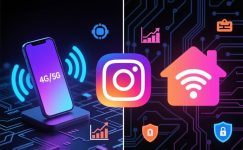
Mobile vs Residential Proxies: Instagram Automation
A comprehensive comparison to help you choose the right proxy type for safe, effective Instagram growth in 2025
4G/5G Mobile IPs
Real mobile carrier IP addresses that rotate automatically, providing the highest level of trust with Instagram’s detection systems
- IP addresses from actual mobile carriers (Verizon, AT&T, T-Mobile)
- Automatic IP rotation every 5-15 minutes
- Lowest detection rate (0.1-0.3%)
- Premium trust score with Instagram algorithms
- Shared among multiple real mobile users
- Perfect for aggressive automation strategies
$80-150
per proxy/month
Home ISP Static IPs
Fixed residential IP addresses from legitimate homeowner internet connections, offering stability and moderate trust levels
- IP addresses from home internet providers (Comcast, Spectrum)
- Fixed IP address throughout entire session
- Moderate detection rate (1-3%)
- Good trust score with consistent usage patterns
- Dedicated or semi-dedicated assignment
- Ideal for stable, long-term account management
$15-40
per proxy/month
How Mobile Proxy vs Static Residential Proxy Affects Instagram Automation
Understanding how Instagram’s detection algorithms evaluate proxy connections reveals why mobile proxy vs static residential proxy selection matters significantly. Instagram employs sophisticated machine learning models that analyze dozens of connection attributes including IP reputation scores, geolocation consistency, device fingerprints, and behavioral patterns. Mobile proxies excel in this environment because they originate from legitimate mobile networks that billions of real Instagram users access daily, making automation traffic virtually indistinguishable from organic mobile usage.
Static residential proxies offer different advantages centered around connection stability and cost efficiency. When you maintain a static residential proxy, your Instagram account associates with a single IP address over extended periods, building a consistent trust history similar to how real users connect from home. This stability proves particularly valuable for established accounts requiring predictable automation schedules without the premium costs associated with mobile proxies. However, static residential proxies carry higher detection risks when used for aggressive automation strategies involving hundreds of actions daily.
The technical infrastructure differences between proxy types directly impact automation success rates. Mobile proxies utilize cellular network gateways where thousands of legitimate users share IP addresses simultaneously, creating natural cover for automated activities. Instagram cannot distinguish your automated actions from genuine mobile users on the same cellular tower. Static residential proxies lack this shared IP advantage, meaning any suspicious automation patterns become more easily attributable to specific accounts, increasing ban risks when action limits are exceeded.
How to Choose the Right Proxy for Your Instagram Strategy
Aggressive Growth
300+ actions/day per account, mass DM campaigns, story viewers, rapid follower acquisition
Why: IP rotation and mobile carrier trust protect accounts during high-volume automation
Moderate Growth
100-200 actions/day, scheduled posting, comment engagement, hashtag targeting
Why: Cost-effective solution providing stability for sustainable, long-term growth strategies
Account Management
Managing existing accounts, client work, maintaining established profiles, analytics tracking
Why: Consistent IP builds trust history and prevents unnecessary account verification prompts
⚡ Pro Strategy: Hybrid Approach
The most sophisticated Instagram automation operations use mobile proxies for growth activities (following, liking, commenting) and static residential proxies for content management (posting, story uploads, analytics). This hybrid strategy maximizes ROI while maintaining optimal account security across different automation functions.
Mobile Proxy vs Static Residential Proxy: Technical Comparison
Examining the technical specifications reveals fundamental operational differences between mobile and static residential proxies. Mobile proxies operate through cellular network infrastructure, connecting via 4G or 5G towers managed by major carriers like Verizon, AT&T, and T-Mobile. These proxies typically rotate IP addresses every 5-15 minutes as part of standard carrier gateway operations, mimicking how real mobile users naturally experience IP changes when moving between cell towers or reconnecting to networks. This automatic rotation provides built-in anonymity without manual configuration.
Static residential proxies utilize fixed IP addresses assigned by home internet service providers like Comcast, Spectrum, or Verizon Fios. These IPs remain constant throughout your session, sometimes maintaining the same address for months or years depending on your proxy provider’s infrastructure. The static nature enables long-term account-IP associations that build trust scores over time, similar to how you’d appear to Instagram when using your home WiFi network consistently. However, this predictability means any automation mistakes become permanently associated with that specific IP address.
Connection speed and reliability differ significantly between proxy types. Mobile proxies typically deliver 5-50 Mbps speeds depending on network congestion and cellular signal strength, with occasional connectivity fluctuations during network handoffs. Static residential proxies generally provide faster, more stable connections ranging from 50-500 Mbps with minimal latency variations. For bulk automation tasks requiring rapid API calls or simultaneous multi-account management, static residential proxies often deliver better throughput performance despite their higher detection risks.
How to Configure Mobile Proxies for Instagram Automation
Proper mobile proxy configuration maximizes automation success while minimizing detection risks. Begin by selecting a reputable mobile proxy provider offering true 4G/5G connections from major carriers—avoid providers selling repurposed datacenter IPs masquerading as mobile proxies. Leading providers like Smartproxy Mobile ($80/month per port), Bright Data Mobile ($90+/month), and Soax Mobile ($100/month) offer genuine carrier-grade connections with verified performance records for Instagram automation.
Configure your automation tool to respect mobile proxy rotation intervals, typically occurring every 5-15 minutes. Set your automation software to pause briefly during IP rotations to avoid mid-action connection drops that trigger Instagram security alerts. Most professional automation tools like Jarvee, FollowLiker, or Instato include mobile proxy-specific settings that automatically detect and adapt to IP changes. Enable these features to ensure your automation continues seamlessly across multiple IP assignments throughout the day.
Limit account density per mobile proxy to maximize safety—the optimal ratio runs 10-15 Instagram accounts per mobile proxy port. While mobile proxies theoretically support more accounts due to IP rotation, maintaining moderate account density reduces the chance of Instagram associating suspicious patterns with your specific proxy port. Distribute accounts across multiple mobile proxies rather than overloading individual connections, even though this increases monthly costs proportionally.
How to Set Up Static Residential Proxies for Instagram
Static residential proxy configuration emphasizes stability and consistency over rotation frequency. Choose providers offering genuine residential IPs from major ISPs with clean histories—Rayobyte Residential ($15-25/proxy/month), IPRoyal Static Residential ($25-35/month), and NetNut Residential ($20-30/month) maintain extensive residential IP pools with strong Instagram compatibility. Before implementing any proxy service, test connectivity using the proxy checker tool to verify IP reputation and ensure absence from blocklists.
Assign static residential proxies to Instagram accounts using a one-to-one ratio for premium accounts or one-to-three ratio for moderate-risk operations. Each Instagram account should maintain consistent association with its assigned static IP throughout its operational lifetime, mimicking how real users connect from home networks. Switching static IPs frequently triggers Instagram’s security systems because legitimate users don’t typically change home internet providers weekly, making consistency crucial for maintaining trust scores.
Implement conservative automation limits when using static residential proxies—restrict daily actions to 80-150 follows, 200-300 likes, and 50-100 comments per account to stay well within Instagram’s comfort zones. Unlike mobile proxies that provide IP rotation cover for aggressive tactics, static residential proxies require more cautious approaches because all actions permanently associate with your single IP address. Monitor account health metrics closely and reduce automation intensity at the first sign of action blocks or shadow bans.
Step-by-Step Instagram Automation Setup Guide
Select Your Proxy Provider
Research providers offering Instagram-compatible proxies. For mobile: Smartproxy, Bright Data, or Soax. For static residential: Rayobyte, IPRoyal, or NetNut. Check reviews specifically mentioning Instagram success rates.
- Verify provider offers genuine mobile/residential IPs (not datacenter)
- Confirm provider allows Instagram automation in terms of service
- Test with trial period if available before committing to monthly plans
Configure Automation Software
Install your chosen automation tool (Jarvee, FollowLiker, Instato, or custom scripts) and input proxy credentials. Configure proxy type, authentication method, and connection parameters according to provider documentation.
- Enter proxy format: http://username:password@proxy-address:port
- Enable proxy rotation settings for mobile proxies
- Set connection timeout values (30-60 seconds recommended)
Warm Up Instagram Accounts
Before beginning automation, warm up accounts for 7-14 days with manual-like activity through proxies. Start with minimal actions (10-20 daily) and gradually increase to target levels to build trust scores.
- Day 1-3: Profile viewing and story watching only
- Day 4-7: Add 5-10 follows and 20-30 likes daily
- Day 8-14: Gradually increase to full automation targets
Set Conservative Automation Limits
Configure action limits below Instagram’s thresholds to maintain account safety. Mobile proxies allow more aggressive strategies while static residential require conservative approaches.
Mobile Proxy Limits:
200-300 follows, 400-500 likes, 100-150 comments per day
Static Residential Limits:
80-150 follows, 200-300 likes, 50-100 comments per day
Monitor and Optimize Performance
Track account health metrics daily including action success rates, follow-back percentages, and engagement metrics. Adjust automation parameters based on performance data and Instagram response patterns.
- Check for action blocks or temporary restrictions daily
- Reduce activity immediately if warnings appear
- Rotate to backup proxies if primary shows degraded performance
- Document what works for continuous optimization
Cost Analysis: Mobile Proxy vs Static Residential Proxy ROI
Calculating return on investment for mobile versus static residential proxies requires examining total costs against potential revenue from Instagram growth. A single mobile proxy at $100/month supporting 10 Instagram accounts costs $10 per account monthly. If each account generates $20-50 in monthly value through product sales, affiliate commissions, or client services, the investment yields 100-400% ROI despite premium pricing. Mobile proxies justify their costs through superior account safety and ability to scale aggressive growth strategies that maximize revenue per account.
Static residential proxies offering $25/month per IP with conservative 1:3 account ratios cost $8.33 per account. While cheaper initially, the higher detection rates and action limits potentially reduce total revenue generation per account. For established accounts requiring maintenance rather than aggressive growth, static residential proxies deliver superior ROI through lower costs without significantly impacting revenue. The optimal choice depends on whether your strategy prioritizes explosive growth (favoring mobile) or sustainable maintenance (favoring static residential).
Consider long-term scaling costs when planning Instagram automation infrastructure. Managing 100 accounts through mobile proxies requires 5-10 proxy ports costing $400-1,000 monthly, while equivalent static residential coverage needs 20-50 proxies costing $500-1,250 monthly. However, mobile proxies’ lower detection rates mean fewer banned accounts requiring replacement, potentially saving thousands in account recovery costs. Calculate total cost of ownership including replacement accounts, time spent resolving bans, and opportunity costs from inactive accounts to determine true ROI for your specific situation.
Instagram Automation Proxy FAQ
Instagram doesn’t ban accounts specifically for using proxies—bans result from suspicious automation patterns, action limit violations, and behavioral inconsistencies. High-quality mobile or residential proxies actually help prevent bans by making your automation traffic appear legitimate. The key factors determining ban risk include: respecting daily action limits (varies by account age/history), maintaining consistent IP-account associations, using realistic timing between actions (30-90 seconds), and avoiding mass following/unfollowing spikes. Proper proxy selection combined with conservative automation settings keeps accounts safe for years.
You can safely operate 10-15 Instagram accounts per mobile proxy port with proper configuration and conservative action limits. Mobile proxies support higher account density than static proxies because IP rotation provides natural cover for multiple accounts. However, optimal safety involves limiting to 10 accounts per port, distributing automation timing throughout the day, and ensuring each account maintains distinct targeting and behavior patterns. Overloading proxies with 20+ accounts increases the risk of Instagram associating suspicious patterns with your specific proxy port, potentially flagging all connected accounts simultaneously.
Mobile proxies work best for new Instagram accounts during the high-risk growth phase (0-500 followers) when detection sensitivity peaks. New accounts face stricter monitoring from Instagram’s algorithms, making mobile proxy protection especially valuable during the first 30-60 days. Once accounts establish trust scores above 500-1000 followers and 3+ months age, you can consider migrating to static residential proxies for cost savings. However, if you maintain aggressive growth strategies exceeding 200 daily actions, continue using mobile proxies regardless of account age to minimize ban risks.
Yes, but implement careful scheduling to avoid simultaneous actions that trigger Instagram’s multi-account detection systems. When running multiple accounts on one proxy, stagger automation schedules so accounts never perform identical actions at exactly the same time. For example, if using one mobile proxy for 10 accounts, space actions at least 5-10 minutes apart. Instagram monitors for patterns indicating single-operator multi-account usage, including simultaneous login times, identical action sequences, and matching engagement patterns. Proper automation software automatically distributes activities to prevent these detection triggers.
Mobile proxies perform best for Instagram story viewing automation due to the high action volumes typically involved in story campaigns. Effective story viewing strategies often involve watching 200-500+ stories daily to maximize visibility and engagement opportunities. This high-volume activity pattern aligns perfectly with mobile proxy capabilities, as IP rotation provides natural cover for the intensive activity. Static residential proxies work for lighter story viewing (50-100 daily) but risk detection at higher volumes due to the fixed IP association with suspicious engagement patterns.
Budget $10-15 per Instagram account monthly for proxy costs depending on your chosen type and scale. For small operations (1-10 accounts), plan $100-150/month for mobile proxies or $50-100/month for static residential. Medium operations (25-50 accounts) require $400-750/month for mobile or $250-500/month for static residential. Large operations (100+ accounts) need $1,000-1,500/month for mobile or $800-1,200/month for static residential. These costs represent proxy expenses only—factor additional costs for automation software ($50-200/month), account management tools, and replacement accounts for inevitable bans.
Yes, using dedicated proxies for different automation functions provides optimal security and performance. Professional Instagram operators implement hybrid proxy strategies: static residential proxies for content posting, story uploads, and analytics (stable connection needed) and mobile proxies for growth activities like following, liking, commenting, and DM campaigns (rotation provides protection). This separation prevents high-risk growth activities from contaminating the IP reputation associated with your content management functions. If budget constraints prevent dual proxy infrastructure, prioritize mobile proxies for growth activities as these carry higher ban risks.
Successfully navigating the mobile proxy vs static residential proxy decision for Instagram automation requires balancing cost considerations against detection risks and performance requirements. Mobile proxies deliver superior protection for aggressive growth strategies, new account launches, and high-volume automation campaigns despite premium pricing. Static residential proxies provide cost-effective solutions for established account management, content posting, and moderate engagement strategies where consistency outweighs rotation benefits. Most sophisticated operations implement hybrid approaches using both proxy types strategically across different automation functions.
Remember that proxy selection represents just one component of successful Instagram automation—equally important factors include proper warm-up periods, realistic action limits, behavioral pattern variation, and quality content creation. The best proxy infrastructure cannot compensate for poorly configured automation that violates Instagram’s behavioral norms. Invest time understanding Instagram’s detection systems, stay current with platform policy changes, and continuously optimize your automation strategies based on performance data rather than relying solely on premium proxies to prevent all risks.