
7 Best Proxies for Multi Account Management in 2026 (Static IPs, Sessions, Refunds)
7 Best Proxies for Multi Account Management in 2026 (Static IPs, Sessions, Refunds)
You set up five shop accounts on one laptop, log in to each from the same home connection, and a week later all five are suspended on the same day. That’s the classic linked-accounts failure. The best proxies for multi account management prevent it by giving every account its own steady IP address. GoToProxy earns a commission on some links here at no extra cost to you.
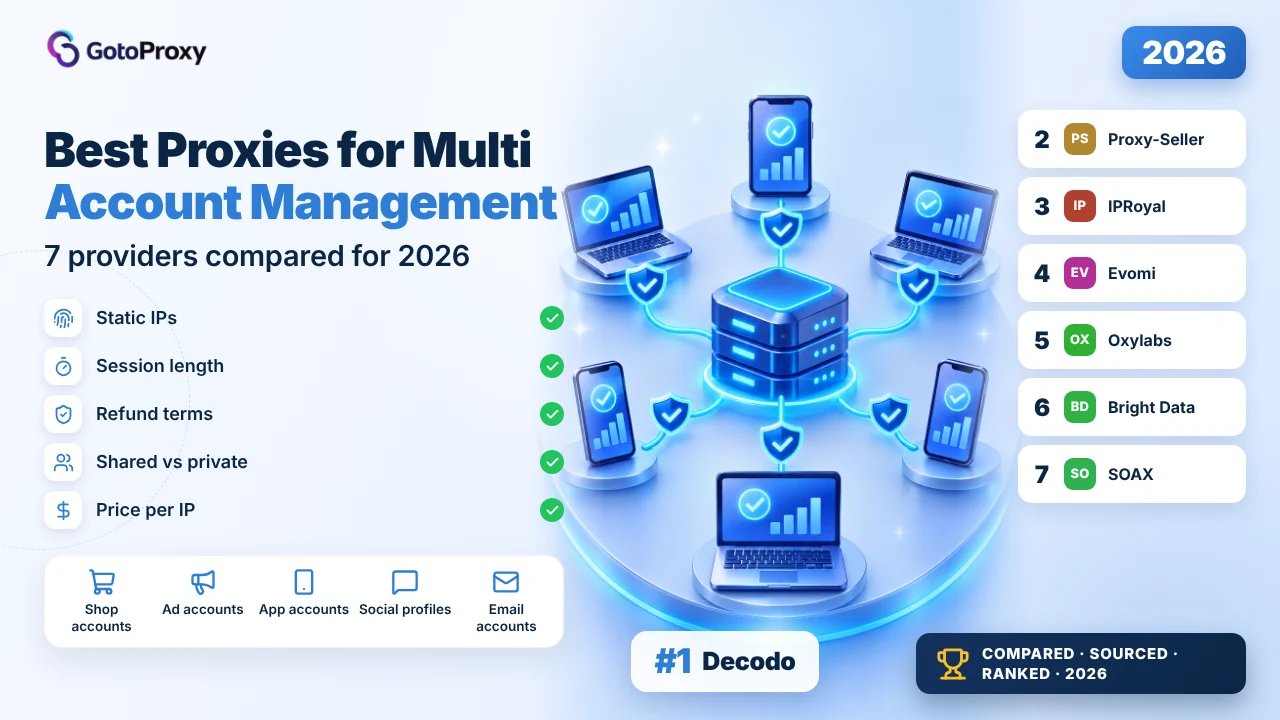
The best proxies for multi account management in 2026 are Decodo, Proxy-Seller and IPRoyal. Decodo sells dedicated ISP IPs from $9.99 for 3 with a 14-day money-back guarantee. Proxy-Seller’s dedicated IPs are never shared, from $1.50 per ISP IP. IPRoyal holds a residential session for up to 7 days and rents ISP IPs from 24 hours.
- One account, one IP: give each account its own static or sticky IP, and never let a rotating proxy change it in the middle of a logged-in session.
- Shared is not private: Oxylabs’ shared ISP IPs serve up to 3 users, while Proxy-Seller and Decodo’s dedicated plans keep each IP for you alone.
- Refund terms vary widely: Decodo offers 14 days, Proxy-Seller 24 hours after delivery, and SOAX calls payments generally non-refundable, so always start small.
What are proxies for multi account management?
A proxy is like a mask for your internet connection: websites see the proxy’s IP address (the number that identifies a connection) instead of yours. For multi-account work, each account wears its own mask, every time. That means static IPs, or sticky sessions, which are rotating proxies that hold one IP for a set time.
Why do platforms care? Many sites link accounts that share an IP address, a browser fingerprint or payment details. A proxy only fixes the first one. Pair each proxy with its own browser profile in one of the anti-detect browsers, so cookies and device details don’t give the accounts away either.
Three proxy types come up. ISP proxies, also called static residential, are fixed IPs registered to internet providers but hosted in data centres, so they stay the same for weeks. Residential proxies come from home connections and usually rotate unless you ask for a sticky session. Mobile proxies come from phone networks.
Static IPs for accounts you keep for months, sticky residential for short tasks, and never a per-request rotating IP for a login.
Why do multiple accounts need separate proxies?
Platforms that allow several accounts per person often still check whether those accounts are connected. An IP address is one of the easiest signals to compare. Before you buy anything, it helps to know which signals a proxy covers and which it doesn’t, so you don’t pay for protection you think you have.
- A shared IP links accounts: Ten accounts logging in from one home IP look like one person, which breaks the rules on platforms that limit accounts per user.
- Location must match: An account registered in the UK that suddenly logs in from Brazil can trigger a security check, so buy IPs in each account’s country.
- IP history matters: Evomi sells Private IPs with a low fraud score and Virgin IPs with a score of 0, because flagged IPs attract extra checks.
- Rotation breaks sessions: A proxy that changes IP on every request can log you out mid-task, so use static IPs or a sticky session instead.
- Platform rules still apply: A proxy doesn’t make banned behaviour allowed. Read each platform’s terms on multiple accounts before you add more of them.
How do you set up proxies for multiple accounts?
The setup is simple once you treat each account as its own small computer: one browser profile, one IP, one location. The step people get wrong most often is running every account through one rotating residential gateway, so each login comes from a different address. Here’s the order that avoids it.
- List your accounts by countryWrite down each account and the country it was created in. That tells you how many IPs you need, and where they should be.
- Pick static or stickyUse static ISP IPs for accounts you keep for months, and sticky residential sessions for short tasks such as one-off sign-ups.
- Buy one IP per accountAssign each IP to exactly one account and record the pairing in a spreadsheet, so you never mix them up later.
- Create one browser profile eachMake a separate browser profile per account and enter that account’s proxy host, port, username and password inside it.
- Check the IP before logging inOpen an IP-check page inside the profile and confirm the country matches the account before you sign in.
- Keep the pairing for goodDon’t swap IPs between accounts. If an IP must change, change it once and keep the new one with that account.
Running many social profiles? Our guide to proxies for social media explains where automation tools fit in, and TikTok Account Proxies covers one platform in detail.
Which are the best proxies for multi account management in 2026?

Decodo is the safest start for multiple accounts. Its dedicated ISP plan gives you IPs no one else uses, from $9.99 for 3, in 19 countries, and the page states a 14-day money-back guarantee. The FAQ says you can keep the same IP as long as you need. The weakness: small plans cost more per IP.

What do you get? Dedicated ISP IPs, meaning static addresses registered to internet providers and reserved for you alone. The monthly table runs from 3 IPs for $9.99 ($3.33 each) to 10 for $29, 100 for $260 and 2,000 for $4,000 ($2 each), plus VAT. Targeting covers country, state, city and ASN (the network an IP belongs to).
Why does it earn trust? The pricing page states a 14-day money-back guarantee, and it names all 19 dedicated countries, including the US, UK, Germany, Brazil and Japan. The docs say dedicated ISP supports HTTP, HTTPS and SOCKS5, with UDP and TCP over SOCKS5, so app-based tools work too.
What could trip up a beginner? Decodo also sells shared ISP IPs on the same page, from $0.27 per IP or $1.30 per GB. Shared IPs are cheaper, but other customers use them too, which you don’t want for accounts. Pick the dedicated tab. The free trial button doesn’t show its terms on the pricing page.
- Dedicated ISP: 3 IPs $9.99, 10 IPs $29, 2,000 IPs $4,000 (+VAT)
- 19 countries named for dedicated IPs
- FAQ: keep the same IP as long as you need
- HTTP(S) and SOCKS5, with UDP and TCP over SOCKS5
- 14-day money-back guarantee
- A first batch of 3 to 10 accounts
- Accounts spread across many countries
- Beginners who want a refund safety net
- Dedicated IPs that only you use
- 14-day money-back stated on the page
- City and ASN targeting included
- $3.33 per IP on the smallest plan
- Shared and dedicated plans sit side by side, easy to mix up
- Prices exclude VAT
| Plan | Price | Size | Unit price |
|---|---|---|---|
| 3 IPs | $9.99/mo | 3 IPs | $3.33/IP |
| 10 IPs | $29/mo | 10 IPs | $2.90/IP |
| 100 IPs | $260/mo | 100 IPs | $2.60/IP |
| 2,000 IPs | $4,000/mo | 2,000 IPs | $2.00/IP |
The page doesn’t say how often a dedicated IP can be replaced if a platform flags it. Residential sticky sessions are described as minutes to days, without a stated maximum.
Verdict: The best first buy for multi-account work: dedicated IPs, 19 countries and 14 days to change your mind. Read the full Decodo review →

Proxy-Seller gives you the cheapest IPs here that no one else uses: ISP IPs from $1.50 each for 5 in the US or UK, and datacenter IPv4 from $0.90. Dedicated IPs are never shared, and the page offers a refund or replacement within 24 hours. The weakness: the price table doesn’t name the rental period.

Company signals first, since you may have been burned before. The price page says Proxy-Seller has served 185,000 customers across 12 years and runs 600+ subnets on a 1 Gbps channel with 99.7%+ uptime. Those are the provider’s own claims, but they’re specific, and the same page states its refund rule plainly.
ISP IPs for the US and UK cost $1.50 each for 5, $1.35 for 50, $0.98 for 1,000 and $0.95 from 1,500, while Germany runs $1.30 down to $0.82. Datacenter IPv4 for the US, UK and Germany starts at $0.90. No IP has a traffic limit, so a busy account doesn’t raise your bill.
How do you connect? With a login and password, with your own IP address on an allowlist (a list of approved addresses), or both, over HTTP(S) or SOCKS5. The weak spot is time: the refund and replacement window is 24 hours from delivery, so test every IP in its browser profile on the first day.
- ISP USA and UK: $1.50 per IP for 5, $0.95 from 1,500
- ISP Germany: $1.30 down to $0.82 per IP
- IPv4 datacenter from $0.90 per IP
- Dedicated IPs never shared; no traffic limits
- Refund or replacement within 24 hours of delivery
- 10 to 100 accounts in the US, UK or Germany
- Accounts with heavy daily traffic
- Tight budgets
- Lowest dedicated ISP price here
- No traffic limit on any IP
- Login, IP allowlist or both
- Rental period not named in the price table
- Only 24 hours to claim a refund or swap
- The ISP table lists three countries
| Plan | Price | Size | Unit price |
|---|---|---|---|
| ISP USA, 5 IPs | $1.50/IP | 5 IPs | $1.50/IP |
| ISP USA, 50 IPs | $1.35/IP | 50 IPs | $1.35/IP |
| ISP USA, 1,000 IPs | $0.98/IP | 1,000 IPs | $0.98/IP |
| IPv4 USA, 5 IPs | $0.90/IP | 5 IPs | $0.90/IP |
The FAQ mentions discounts up to 40%, while the price list says up to 30%. The ISP table shows the US, UK and Germany only; other countries may appear in the order form.
Verdict: The cheapest way to give each account a private IP, as long as you test on day one. Read the full Proxy-Seller review →

IPRoyal is the most flexible pick: rent one ISP IP for 24 hours at $1.80 to see whether a platform accepts it, then keep one for 30 days at $2.70. Its residential proxies hold a sticky session for up to 7 days, the longest stated here. The weakness: neither page shows refund terms.

ISP proxies are priced per IP and per period: $1.80 for 24 hours, $2.70 for 30 days, $2.55 for 60 days and $2.40 for 90 days, as starting prices. The page lists 500K+ unique IPs in 31+ countries, with 39 locations shown, including 135,681 US IPs and 77,724 UK IPs.
For short jobs, residential is the other route. A sticky session (one IP held for a set time) lasts up to 7 days. Residential costs $7 per GB for 1 GB on a subscription and $5.25 at 10 GB, and the page says traffic never expires. It advertises 99.4% success and about 0.5 s response.
Setup is beginner-friendly: the ISP page lists IP, port, username and password, plus IP whitelist management. SOCKS5 works on ISP with both UDP and TCP. What’s missing for a trust-first buyer: the pages read don’t state refund terms, and the free trial button has no terms beside it.
- ISP: $1.80 for 24 hours, $2.70 for 30 days, $2.40 for 90 days per IP
- 500K+ ISP IPs in 31+ countries
- Residential sticky sessions up to 7 days
- ISP: HTTP(S) and SOCKS5, UDP and TCP
- Residential traffic never expires
- Testing a platform with one IP for a day
- Week-long projects on sticky residential
- Accounts in less common countries
- 24-hour ISP rental to test cheaply
- 7-day sticky residential sessions
- Many ISP countries, with IP counts shown
- Refund terms not on the pages read
- ISP traffic falls under a fair-usage policy with no number
- Residential costs $7 per GB on small buys
| Plan | Price | Size | Unit price |
|---|---|---|---|
| ISP 24 hours | $1.80 | 1 IP | $1.80/IP |
| ISP 30 days | $2.70 | 1 IP | $2.70/IP |
| ISP 60 days | $2.55 | 1 IP | $2.55/IP |
| ISP 90 days | $2.40 | 1 IP | $2.40/IP |
The ISP page doesn’t say whether an IP serves one customer only. The residential page lists IP whitelisting and sub-users, but doesn’t mention username and password logins.
Verdict: The easiest way to test before you commit, with the longest residential sessions here. Read the full IPRoyal review →

Evomi is the only provider here that sells static IPs by reputation: Shared at $1.00, Private at $2.50 for one user with a low fraud score, and Virgin at $4.50 for one user with a fraud score of 0. Traffic is unlimited. The weakness: the page doesn’t list countries, so check yours first.

What’s a fraud score? It’s a rating that anti-fraud services give an IP based on its past behaviour. A high score can trigger extra checks at sign-up. Evomi’s Private tier promises a low score and one user per IP, and its Virgin tier promises a score of 0, at nearly double the price.
Every tier has unlimited traffic and bandwidth, 99.9% advertised uptime, a response under 0.5 s and up to 3,000 concurrent connections. Connections work over HTTP, SOCKS5 and UDP, with a username and password in the example connection string. Billing is monthly and per IP, so you pay the same whether an account is busy or quiet.
Trust signals are thinner here than at Decodo or Proxy-Seller. The page shows a money-back badge and a free trial, but the refund terms sit on the pricing page: 30 days, capped at 10% of data or 1 GB. The static residential page doesn’t name its countries, and company details aren’t on it.
- Shared $1.00, Private $2.50, Virgin $4.50 per IP per month
- Private and Virgin: one user per IP
- Unlimited traffic; up to 3,000 concurrent connections
- HTTP, SOCKS5 and UDP
- Free trial; money-back badge
- Accounts sensitive to IP reputation
- Sign-ups that trigger extra checks
- Small fleets that want a clean start
- Fraud-score tiers you can choose
- Unlimited traffic per IP
- Free trial
- Countries not listed on the page
- The Shared tier serves several users
- Refund terms are capped and on another page
| Plan | Price | Size | Unit price |
|---|---|---|---|
| Shared | $1.00/IP | 1 IP | $1.00/IP |
| Private | $2.50/IP | 1 IP | $2.50/IP |
| Virgin | $4.50/IP | 1 IP | $4.50/IP |
The page doesn’t say how fraud scores are measured or by which service. The refund cap of 10% or 1 GB comes from the residential pricing page and may not apply to per-IP plans.
Verdict: Pay for Private or Virgin IPs when IP history is what gets your accounts checked.

Oxylabs suits account work that runs in daily sessions: residential sessions last up to 1,440 minutes (24 hours), and its ISP proxies have no session time limit. The catch for beginners: the pricing page’s ISP plan is shared by up to 3 users per IP. Its dedicated ISP plan sits on a separate page.
Shared ISP IPs cost $1.50 each up to 10 IPs, $1.40 up to 71, $1.20 up to 416 and $1.10 from 2.27K, with unlimited bandwidth under fair usage. The page says each IP is shared with up to 3 users. For accounts, that means two strangers may use the same address you do.
Residential is the better route here. The session control docs let you hold one IP for up to 1,440 minutes by adding a session time to the username, with a 10-minute default. The residential page lists 175M+ IPs in 195 countries, 3 proxy users and 10 whitelisted IPs.
Trust signals: Oxylabs gives a $5 welcome credit, and residential traffic starts at $6 per GB up to 2 GB. The refund answer wasn’t visible on the pages read. For a beginner, the session username format takes some practice, so copy it from the docs rather than typing it from memory.
- Shared ISP: $1.50 per IP up to 10, $1.10 from 2,270
- Shared with up to 3 users per IP
- Residential sessions up to 1,440 minutes
- 175M+ residential IPs in 195 countries
- $5 welcome credit
- Daily sessions on residential IPs
- Teams that set sessions in the username
- Testing with a $5 credit
- 24-hour residential sessions
- No session time limit on ISP
- $5 credit to start
- ISP IPs on the pricing page are shared by up to 3 users
- Refund terms not visible
- Residential costs $6 per GB on small buys
| Plan | Price | Size | Unit price |
|---|---|---|---|
| Up to 10 IPs | $1.50/IP | Up to 10 | $1.50/IP |
| Up to 71 IPs | $1.40/IP | Up to 71 | $1.40/IP |
| Up to 416 IPs | $1.20/IP | Up to 416 | $1.20/IP |
| 2.27K+ IPs | $1.10/IP | 2,270+ | $1.10/IP |
The ISP pricing page doesn’t list countries. The dedicated ISP plan is on a separate page that wasn’t read for this guide, so its price isn’t quoted here.
Verdict: Good for day-long residential sessions; read the sharing note before buying static IPs. Read the full Oxylabs review →

Bright Data runs the largest static pool here, 1,300,000+ ISP IPs, and checks who its residential customers are with a human-reviewed KYC process. That vetting is a trust signal. The weakness for beginners: the ISP price tables aren’t labelled shared or dedicated, and personal email accounts can’t get residential at all.
ISP prices come in two unlabelled tables: one runs $1.80 per IP for 10 down to $1.30 for 1,000, the other $3.50 down to $2.50. By order and price the first is probably shared, but the page doesn’t confirm it. There’s also pay per GB, from $8 pay as you go to $5 on the $1,999 plan.
What’s KYC? Know Your Customer: the provider checks your identity and use case before you get access. Bright Data says residential is only for verified companies after a human review, and personal email accounts aren’t eligible. The ISP pricing page ties KYC to residential and mobile, not to ISP.
Each ISP IP comes with 100 GB of fair usage per month. A free trial doesn’t bill trial traffic, and first deposits are matched up to $500. Sticky session length and refund terms aren’t stated on the pages read, so ask sales before you commit a large account fleet.
- ISP per IP from $1.80 (10 IPs) in the first table
- 1,300,000+ static residential IPs
- 100 GB fair usage per IP per month
- Residential needs company verification and KYC
- Free trial; deposits matched up to $500
- Registered businesses
- Large static IP fleets
- Teams that value a vetted network
- Largest static pool here
- KYC vetting of residential customers
- Trial traffic isn’t billed
- ISP tables not labelled shared or dedicated
- Personal email accounts can’t use residential
- Refund terms not on the pages read
| Plan | Price | Size | Unit price |
|---|---|---|---|
| 10 IPs (table 1) | $1.80/IP | 10 IPs | $1.80/IP |
| 1,000 IPs (table 1) | $1.30/IP | 1,000 IPs | $1.30/IP |
| 10 IPs (table 2) | $3.50/IP | 10 IPs | $3.50/IP |
| 1,000 IPs (table 2) | $2.50/IP | 1,000 IPs | $2.50/IP |
The meta description says ISP starts from $13.13 per GB, which doesn’t match the $8 pay-as-you-go price in the page body. Countries for ISP IPs aren’t listed on the pricing page.
Verdict: A good fit for registered businesses, and a confusing one for a solo beginner. Read the full Bright Data review →

SOAX is here for one reason: mobile IPs, which suit accounts used in phone apps, cost the same as residential. Builder costs $200 a month with Tier 1 traffic at $3 per GB. The weakness for anyone burned before: there’s no free trial, and the page says payments are generally non-refundable.
One rate covers residential and mobile, set by the exit IP’s country. Builder is $200 a month at $3, $2.25 or $1.20 per GB for Tiers 1, 2 and 3. Team is $500 at $2.20, $1.65 and $0.90, and Scale is $1,500. The US and Germany are Tier 1, India Tier 2 and the Philippines Tier 3.
Sandbox is the low-risk door: no monthly fee and no credits, with top-ups at $5 per GB in Tier 1. That’s the way to test a few accounts before committing to Builder. The pricing page doesn’t give the full country list for each tier, so confirm your accounts’ countries with support first.
Why is it last? For multi-account work you want fixed IPs, and the pricing page lists no static ISP plan, only rotating residential and mobile. Session length isn’t on the pricing page either. With no free trial and payments that are generally non-refundable, a wrong guess costs real money.
- One rate for residential and mobile
- Builder $200/mo: $3, $2.25, $1.20 per GB by tier
- Sandbox: no fee, top-ups at $5 per GB in Tier 1
- US and Germany Tier 1; India Tier 2; Philippines Tier 3
- No free trial; payments generally non-refundable
- Accounts used in mobile apps
- Teams already spending $200 a month
- Projects in Tier 3 countries
- Mobile IPs at the residential price
- Cheaper traffic in Tier 3 countries
- Sandbox top-ups without a monthly fee
- No static ISP plan on the pricing page
- No free trial
- Payments generally non-refundable
| Plan | Price | Size | Unit price |
|---|---|---|---|
| Sandbox | Free | Top-ups | $5.00/GB |
| Builder | $200/mo | Tier 1 | $3.00/GB |
| Team | $500/mo | Tier 1 | $2.20/GB |
| Scale | $1,500/mo | Tier 1 | $1.50/GB |
Prices exclude VAT. The page explains tiers by the exit IP’s country but names only four example countries, and datacenter and ISP prices aren’t on the pricing page.
Verdict: Only worth it if your accounts live in phone apps and you’ve tried Sandbox first. Read the full SOAX review →
How do static IP prices and coverage compare?
These bars use prices and limits from each provider’s own pages, read on November 12, 2026. They are advertised figures for the smallest buy, not measured performance, and VAT may be added on top.
Figures are the ones each provider publishes, checked on November 12, 2026. They are advertised numbers, not test results.
How do the 7 multi-account proxy providers compare?
One table, the same rows for every provider, in ranking order. Figures come from pages read on November 12, 2026, and bold marks the strongest value in each row.
| Decodo Top | Proxy-Seller | IPRoyal | Evomi | Oxylabs | Bright Data | SOAX | |
|---|---|---|---|---|---|---|---|
| Static IP type | Dedicated ISP | Dedicated ISP and IPv4, never shared | ISP, 24 hours to 90 days | Shared, Private or Virgin | Shared ISP, up to 3 users | ISP, tables unlabelled | No static plan listed |
| Smallest buy | 3 IPs for $9.99 | 5 ISP IPs at $1.50 | 1 ISP IP for 24 h, $1.80 | 1 Shared IP, $1.00 | Up to 10 IPs at $1.50 | 10 IPs at $1.80 | Sandbox, $5/GB top-ups |
| Sticky residential | Minutes to days | Task length, no maximum | Up to 7 days | Not stated | Up to 24 hours | Not stated | Not on pricing page |
| Static countries | 19 named | US, UK, Germany | 31+ (39 listed) | Not on page | Not on page | Not on page | No static plan |
| Login options | User:pass; IP whitelist on residential | Login, IP or both | User:pass and IP whitelist | User:pass | 3 users, 10 whitelisted IPs (residential) | Zone user:pass | Not on pricing page |
| Refund | 14-day money-back | 24 hours after delivery | Not on pages read | 30 days, capped | Not visible | Not on page | Generally non-refundable |
| Free trial | Button, terms not shown | 3-day residential, non-refundable | Button, no terms | Yes | $5 credit | Yes, trial traffic free | None |
| SOCKS5 and UDP | SOCKS5, UDP on dedicated ISP | SOCKS5; UDP on residential | SOCKS5, UDP on ISP | SOCKS5 and UDP | SOCKS5 | SOCKS5 | Not on page |
Which proxy type fits your accounts?
Match the proxy type to how long you keep each account and where it’s used. The wrong type costs more and can still link your accounts.
Multi-account proxies: beginner questions
I read each provider’s ISP, static residential and residential pages, Proxy-Seller’s price list and SOAX’s pricing page on November 12, 2026. Nothing was bought or tested, and company claims are quoted as the provider’s own. Scores weight IP stability 30%, session length 20%, refund and trust signals 20%, price per IP 15% and setup options 15%. For user ratings, see ProxyRates community scores. Scores are our editorial rating built from published prices, features and terms. They are not lab measurements.