
7 Best Proxies for AI Training Data Collection in 2026 (Price at Scale and Compliance)
7 Best Proxies for AI Training Data Collection in 2026 (Price at Scale and Compliance)
Before: say your crawler runs from one cloud server, gets blocked by mid-afternoon, and saves CAPTCHA pages as training text. After: rotating residential IPs at under $1 per GB at scale, a robots.txt record beside every page, and clean text. The best proxies for AI training data collection make that after affordable. GoToProxy earns a commission on some links here at no extra cost to you.
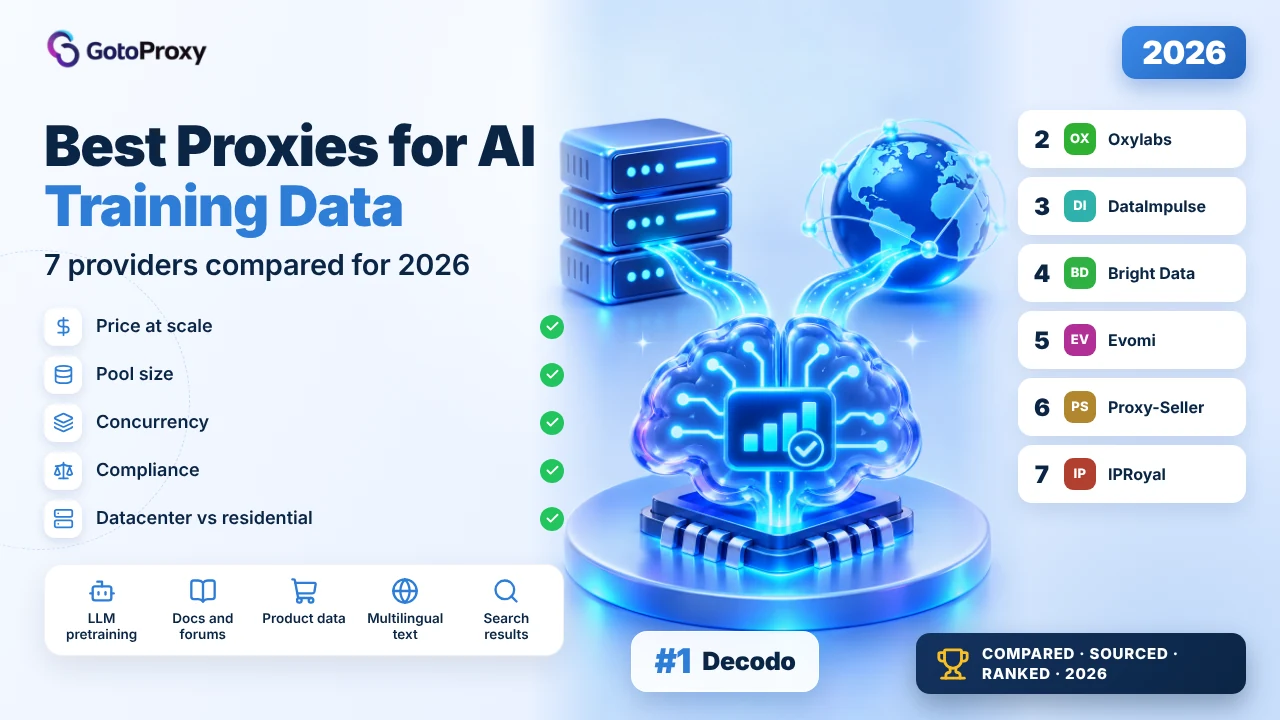
The best proxies for AI training data collection in 2026 are Decodo, Oxylabs and DataImpulse. Decodo’s residential traffic falls to $2 per GB at 1,000 GB, with a 14-day refund. Oxylabs offers 175M+ residential IPs with unlimited concurrency at $2.50 per GB from 1,000 GB. DataImpulse is the budget pick at $0.80 per GB on 1 TB, and its traffic never expires.
- Start with datacenter where you can: open sites, docs and forums often accept datacenter IPs, which cost $0.30 to $0.45 per GB at volume, a fraction of residential.
- Residential at scale costs $0.79 to $3 per GB: Evomi and DataImpulse sit under $1 at about 1 TB, Decodo and Oxylabs at $2 to $2.50, Bright Data at $3.
- Log robots.txt with every page: RFC 9309 defines how crawlers read it, and the EU AI Act asks model providers to respect machine-readable opt-outs.
What do proxies for AI training data collection need to do?
They spread a crawler’s requests across many IP addresses, so large-scale collection of public pages doesn’t stall on rate limits or blocks. For training data the job is volume, not sessions: millions of pages, mostly read once. That makes price per GB at scale, concurrency and pool size matter more than anything else.
Decision tree, short version. If your targets are open documentation, forums or public datasets, start with datacenter proxies and jump to the price figures. If they’re commercial sites that block hosting IPs, you need residential, so read the top three reviews first. If you only need a handful of sources, a scraper API may be simpler than running proxies.
For the pipeline itself, meaning queues, storage, deduplication and cleaning, see our guide to AI training data pipelines with proxies. The wider guide to proxies for web scraping covers the basics of rotation and targeting.
For training data, the cheapest gigabyte that still returns real pages wins; sessions and logins rarely matter.
Why do AI crawlers need proxies at all?
A single crawler IP hits rate limits fast, and many sites block cloud ranges outright. Proxies solve that reach problem, but they also raise the stakes: more requests mean more load on other people’s servers and more questions about what you keep. Both sides of that trade belong in your plan.
- Rate limits per IP: Sites cap requests per address. Rotating across a large pool, such as Oxylabs’ 175M+ IPs, keeps each address under those caps.
- Blocked cloud ranges: Many commercial sites block datacenter IPs on sight, so residential traffic is the only way to reach their public pages.
- Content changes by country: Prices, languages and search results vary by location. Country targeting, included at Decodo and Bright Data, fetches the local version.
- Cost grows with volume: Training sets run to terabytes, so the gap between $0.80 and $3 per GB decides whether a crawl is affordable at all.
- Rules don’t scale away: More IPs don’t change a site’s terms. RFC 9309 says robots.txt rules aren’t access authorization, but they still state the site’s wishes.
How do you set up proxies for an AI training crawl?
The setup detail people get wrong most often isn’t technical: it’s crawling without recording what each site allowed at the time. Fix that first, then tune rotation and concurrency. These steps follow the providers’ docs and the public texts cited below, and nothing here was run against live accounts.
- Fetch and store robots.txtFetch each site’s robots.txt before crawling, store it with a timestamp, and don’t reuse a copy for more than 24 hours, as RFC 9309 advises.
- Split targets by IP typeSend open sites through datacenter proxies and only blocked sites through residential, so you pay residential rates on the smallest share.
- Rotate per requestPage collection rarely needs sticky sessions. Use the rotating gateway so each request gets a fresh IP from the pool.
- Cap concurrency per domainUnlimited concurrency at the provider isn’t permission to flood a site. Set a per-domain limit and back off on 429 and 503 responses.
- Filter blocks before storageDrop CAPTCHA pages, empty bodies and error templates before they reach the dataset, or you’ll pay to train on junk.
- Keep a source logRecord the URL, fetch time, status and robots.txt version for each page. The AI Act asks model providers for a summary of training content.
Article 53 also requires a policy to comply with EU copyright law, and the page that hosts the article says it came into force on 2 August 2025. If you train or fine-tune models for the EU market, read the text of Article 53 with your lawyer before you scale a crawl.
Which are the best proxies for AI training data collection in 2026?

Decodo is the best all-round pick for AI data collection: residential falls to $2 per GB at 1,000 GB, datacenter to $0.38 at 10,000 GB, and both sit in one account. For: a 14-day refund and free ZIP and ASN targeting. Against: no concurrency number. Best for mixed crawls; not ideal for the tightest budgets.

The case for: residential pricing steps down from $3.75 per GB at 3 GB to $2.50 at 250 GB and $2 at 1,000 GB, plus VAT, across 115M+ IPs in 195+ locations. The page advertises 99.92% success, under 0.5 s response and 99.99% uptime. Targeting by continent, country, state, city, ZIP and ASN is included.
The datacenter side covers the open-web share of a crawl: $0.60 per GB at 10 GB down to $0.45 at 1,000 GB and $0.38 at 10,000 GB, with a stated average response under 0.3 s. Sending open sites through datacenter and blocked ones through residential keeps the bill down.
The case against: the residential page gives no concurrency figure, and the refund covers only a first purchase with at most 20% of traffic used, not the 3-day trial. At $2 per GB, a terabyte costs more than twice what Evomi or DataImpulse charge. Pay that only if you value the refund and the targeting.
- Residential: $3.75 per GB at 3 GB, $2 at 1,000 GB (+VAT)
- 115M+ residential IPs, 195+ locations
- Datacenter: $0.38 per GB at 10,000 GB
- 99.92% advertised success; under 0.5 s response
- 14-day refund on a first purchase (max 20% used)
- Crawls that mix open and blocked sites
- Local-language data needing ZIP or ASN targeting
- Teams that want a refund window
- Residential and datacenter in one account
- Free ZIP and ASN targeting
- 14-day refund
- Residential concurrency not stated
- Over twice the per-GB price of the budget picks
- Refund void after 20% of traffic
| Plan | Price | Traffic | Per GB |
|---|---|---|---|
| 100 GB | Monthly | 100 GB | $2.75 |
| 250 GB | Monthly | 250 GB | $2.50 |
| 1,000 GB | Monthly | 1,000 GB | $2.00 |
| Datacenter 10,000 GB | $3,800 | 10,000 GB | $0.38 |
The residential page doesn’t give a concurrency limit. The datacenter page’s meta text mentions 500K+ IPs, while its body lists 100K+ rotating and static shared IPs.
Verdict: Best for mixed crawls; not ideal if price per GB is the only thing that matters. Read the full Decodo review →

Oxylabs suits the largest parallel crawls: 175M+ residential IPs in 195 countries, unlimited concurrent sessions and 99.95% advertised success. For: free targeting down to ZIP and ASN, and datacenter at $0.40 per GB at volume. Against: $6 per GB on small buys and no visible refund terms. Best for big runs; not ideal for pilots.
The case for: the residential page lists unlimited concurrency, 175M+ IPs in 195 countries and free targeting by country, city, state, continent, ZIP, coordinates and ASN. Prices fall from $6 per GB on small buys to $4 up to 125 GB and $2.50 from 1,000 GB. Our Oxylabs review covers the company.
For the open-web share, datacenter costs $0.60 per GB up to 25 GB and $0.40 from 6,250 GB, with an advertised 0.222 s response and 99.9% uptime and success. Per-GB datacenter plans cap monthly traffic by plan, between 20 GB and 2 TB, so check the cap before a big run.
The case against: a pilot is expensive at $6 per GB, though a $5 credit helps. The refund answer wasn’t visible on the pages read, and two response figures appear on the residential page, 0.41 s and an average of 0.6 s. Best for teams that already know their volume; not ideal for testing many vendors.
- 175M+ residential IPs in 195 countries
- Unlimited concurrent sessions
- Residential $2.50 per GB from 1,000 GB
- Datacenter $0.40 per GB from 6,250 GB
- 99.95% advertised success; $5 credit
- Highly parallel crawls
- Geo-specific data down to ZIP
- Teams with known monthly volumes
- Unlimited concurrency stated
- Large pool with free fine targeting
- Fast advertised datacenter response
- $6 per GB on small buys
- Refund terms not visible
- Datacenter per-GB plans cap traffic
| Plan | Price | Traffic | Per GB |
|---|---|---|---|
| Up to 20 GB | Per GB | Up to 20 GB | $5.00 |
| Up to 125 GB | Per GB | Up to 125 GB | $4.00 |
| 1K+ GB | Per GB | 1,000 GB+ | $2.50 |
| Datacenter 6.25K+ GB | Per GB | 6,250 GB+ | $0.40 |
The residential page gives two response figures, 0.41 s and an average of 0.6 s. The datacenter page doesn’t say how much traffic its $15 Starter plan includes.
Verdict: Best for large parallel runs; not ideal for cheap pilots. Read the full Oxylabs review →

DataImpulse is the budget pick that still feels safe: residential costs $0.80 per GB on its 1 TB plan, datacenter $0.45, and traffic never expires, so a slow crawl doesn’t waste money. For: low prices and a 7-day refund. Against: about 1 s response and paid city targeting. Best for bulk volume.

The case for: residential is $1 per GB on small plans and $0.80 on the $800, 1 TB plan, with custom plans from $4,000 for 5 TB and up. The pool is 90M+ IPs in 195+ countries, with 99.51% advertised success. Traffic never expires, which suits crawls that run in bursts over months.
Datacenter costs $0.50 per GB and $0.45 on the $450, 1 TB plan, from a pool of 20M IPs, so open sites can go through the cheaper network. Both pools take login and password through gw.dataimpulse.com, or authorization by IP, and support HTTP(S) and SOCKS5.
The case against: the residential page lists about 1 s response, slower than the others here, and the datacenter page claims both about 1 s and sub-100 ms. City and ASN targeting cost extra, and the price isn’t published. Concurrency is described as high, with no number. Best for bulk volume; not ideal for city-level data.
- Residential $0.80 per GB on the 1 TB plan
- Custom plans from $4,000 for 5 TB+
- Datacenter $0.45 per GB on 1 TB
- Traffic never expires
- 7-day refund policy
- Terabyte crawls on a budget
- Bursty crawls spread over months
- Country-level data
- Under $1 per GB at 1 TB
- Traffic never expires
- 7-day refund
- About 1 s advertised response
- City and ASN targeting cost extra
- No concurrency number
| Plan | Price | Traffic | Per GB |
|---|---|---|---|
| Residential Basic | $50 | 50 GB | $1.00 |
| Residential Advanced | $800 | 1 TB | $0.80 |
| Residential Custom+ | From $4,000 | 5 TB+ | Custom |
| Datacenter Advanced | $450 | 1 TB | $0.45 |
The residential page doesn’t say how much city or ASN targeting costs. The two latency claims on the datacenter page can’t both describe typical use.
Verdict: Best for cheap bulk volume; not ideal for city-level or latency-sensitive work.

Bright Data has the largest residential pool here, 400M+ IPs in 195 countries, and vets residential customers with a human-reviewed KYC process. For: scale, free ZIP targeting and a vetted network that’s easier to defend in an audit. Against: $3 per GB and no personal accounts. Best for companies.
The case for: 400M+ IPs and free country, state, city and ZIP targeting. Plans run $499 a month for 141 GB at $4 per GB, $999 for 332 GB at $3 and $1,999 for 798 GB at $3, with custom pricing from 1 TB. Datacenter costs $0.42 per GB on the 5 TB plan, from 1,300,000+ IPs.
The compliance angle: residential is only for verified companies after human review, and personal email accounts aren’t eligible. For an AI team that must show where its data came from and which vendors it used, that vetting counts in favour. Our Bright Data review covers the company in more depth.
The case against: at $3 per GB, a terabyte costs over three times DataImpulse’s rate. Its 99.99% success figure is labelled a marketing claim, and concurrency isn’t stated. A first deposit is matched up to $500, which softens a pilot. Best for regulated teams; not ideal for budget crawls.
- 400M+ residential IPs in 195 countries
- $999 for 332 GB and $1,999 for 798 GB, both $3 per GB
- Residential only for verified companies, after human-reviewed KYC
- Datacenter $0.42 per GB on the 5 TB plan
- Free trial; deposits matched up to $500
- Companies with audit requirements
- The widest geo coverage
- Residential plus datacenter at 1 TB and up
- Largest pool here
- KYC-vetted residential network
- Free targeting down to ZIP
- $3 per GB on its larger plans
- No residential for personal accounts
- Concurrency not stated
| Plan | Price | Traffic | Per GB |
|---|---|---|---|
| $499 plan | $499/mo | 141 GB | $4.00 |
| $999 plan | $999/mo | 332 GB | $3.00 |
| $1,999 plan | $1,999/mo | 798 GB | $3.00 |
| Datacenter 5 TB | $1,999/mo | 5 TB | $0.42 |
List prices on the residential plans are $7, $6 and $5 per GB; the lower figures above are promotions shown on the page. Sticky session length isn’t stated anywhere on it.
Verdict: Best for companies that need scale and vetting; not ideal for budget crawls. Read the full Bright Data review →

Evomi has the lowest per-GB prices here: residential Core at $0.79 from 1,000 GB pay as you go, and datacenter at $0.30 on its 1,000 GB plan. For: unlimited concurrency on rotating pools and pay-as-you-go traffic that doesn’t expire. Against: the Core pool is 54M+ IPs, with no success rate published. Best for budget bulk.

The case for: Core residential costs $0.99 per GB pay as you go from 15 GB and $0.79 from 1,000 GB, or $0.49 on the $49, 100 GB monthly plan. Rotating pools have unlimited concurrency, and pay-as-you-go traffic has no expiry, so a stalled crawl doesn’t burn budget.
Datacenter is cheaper still: $0.45 per GB pay as you go, then $0.40, $0.35 and $0.30 on the 200, 500 and 1,000 GB plans. The datacenter page advertises 99.95% connection success and a 0.45 s average response, with unlimited sessions over HTTP, HTTPS or SOCKS5.
The case against: Core is the budget pool, and Premium costs $3.98 per GB pay as you go, falling to $2.20 only on the largest plans. Its residential page publishes no success rate or response time and no country total. Refunds are capped at 10% of data or 1 GB. Best for cheap volume; not ideal for heavily protected sites.
- Residential Core $0.79 per GB from 1,000 GB
- Core $0.49 per GB on the $49, 100 GB plan
- Datacenter $0.30 per GB on the 1,000 GB plan
- Unlimited concurrency on rotating pools
- Pay-as-you-go traffic doesn’t expire
- Cheapest bulk residential
- Datacenter crawls of open sites
- Pilots on a small budget
- Lowest per-GB prices here
- Unlimited concurrency on rotating pools
- Free trial
- Core pool is 54M+ IPs
- No residential success rate published
- Refunds capped at 10% or 1 GB
| Plan | Price | Traffic | Per GB |
|---|---|---|---|
| Core pay as you go | From 15 GB | 15 GB+ | $0.99 |
| Core pay as you go | Volume | 1,000 GB+ | $0.79 |
| Datacenter Advanced | $300/mo | 1,000 GB | $0.30 |
| Premium pay as you go | Per GB | Any | $3.98 |
The residential pricing page names six popular locations but gives no country total. The free trial continues as the $49 monthly plan unless you cancel it.
Verdict: Best for the cheapest volume; not ideal for the hardest targets.

Proxy-Seller sits in the middle on price: residential falls to $1.45 per GB at 1,000 GB, with Enterprise from $0.30. For: unlimited concurrency, 220+ locations, and Scrapy, Puppeteer, Playwright and Selenium named as working natively. Against: traffic is valid for 30 days. Best for steady monthly crawls; not ideal for bursty ones.

The case for: the residential page lists 47M+ IPs in 220+ locations, unlimited concurrency, 99.5% advertised success, about 0.35 s response and a 1 Gbps channel. Targeting covers country, state, city and ISP. It names Scrapy, Puppeteer, Playwright and Selenium as working natively, which saves glue code.
Pricing starts with a $3.50 per GB test, drops to $1.45 per GB at 1,000 GB, and Enterprise starts at $0.30 per GB through sales. HTTP, HTTPS and SOCKS5 are supported, with UDP and QUIC, and login or IP allowlisting both work. For open sites, static IPv4 starts at $0.90 per IP with no traffic limits.
The case against: residential traffic is valid for 30 days, so a paused crawl loses what’s left. Its 99.7% uptime figure appears only in the page’s meta description. The general refund window is 72 hours, and the 3-day trial isn’t refundable. Best for steady monthly volume; not ideal for crawls that stop and start.
- Residential $3.50 per GB test, $1.45 at 1,000 GB
- Enterprise from $0.30 per GB
- 47M+ IPs, 220+ locations, unlimited concurrency
- Scrapy, Puppeteer, Playwright and Selenium named
- Traffic valid for 30 days
- Steady monthly crawls
- Python and headless browser stacks
- Mid-range budgets
- Unlimited concurrency
- Scraping frameworks named on the page
- Enterprise path to $0.30 per GB
- Traffic expires after 30 days
- Smaller pool than the top four
- Uptime figure only in meta text
| Plan | Price | Traffic | Per GB |
|---|---|---|---|
| Test | $3.50 | 1 GB | $3.50 |
| Volume | Monthly | 1,000 GB | $1.45 |
| Enterprise | Contact sales | Custom | From $0.30 |
The residential page lists a 72-hour general refund window, while the price page offers 24 hours for static IPs. Sticky sessions last for the task, with no maximum stated.
Verdict: Best for steady crawls on familiar frameworks; not ideal for bursty schedules. Read the full Proxy-Seller review →

IPRoyal makes sense at very large volumes: residential costs $1.75 per GB from 10 TB, and its traffic never expires. For: unlimited concurrency and 64M+ IPs in 195+ countries. Against: $7 per GB on a 1 GB buy, the lowest advertised success here at 99.4%, and no refund terms. Best for huge crawls.

The case for: custom residential pricing starts at $1.75 per GB from 10 TB on a subscription, or $1.84 pay as you go. Traffic never expires, so a 10 TB purchase can feed several crawls over months. The page lists unlimited concurrency, HTTP(S) and SOCKS5, and sticky sessions up to 7 days if a source needs them.
In between, 10 GB costs $5.25 per GB on a subscription and $5.51 pay as you go. The page read listed prices for 1 GB, 10 GB and 10 TB and up only, so use its calculator or ask sales for the sizes in between before you plan a 500 GB pilot around it.
The case against: $7 per GB for 1 GB is the highest entry price here, the 99.4% advertised success rate is the lowest, and the page shows a free trial button with no terms and no refund rule. Best for teams buying 10 TB or more; not ideal for anyone still comparing vendors.
- Residential $1.75 per GB from 10 TB (subscription)
- $7 per GB for 1 GB; $5.25 at 10 GB
- 64M+ IPs in 195+ countries
- Unlimited concurrency; traffic never expires
- 99.4% advertised success
- Purchases of 10 TB and up
- Crawls spread over months
- Sources that need 7-day sessions
- Traffic never expires
- Unlimited concurrency
- Low price at 10 TB
- $7 per GB on small buys
- Mid-size tiers not listed on the page read
- No refund terms on the page
| Plan | Price | Traffic | Per GB |
|---|---|---|---|
| 1 GB | $7.00 | 1 GB | $7.00 |
| 10 GB | Subscription | 10 GB | $5.25 |
| 10 TB+ | Custom | 10 TB+ | $1.75 |
The residential page lists IP whitelisting and sub-users but doesn’t mention username and password logins. The free trial button carries no terms on the page read.
Verdict: Best for 10 TB and up; not ideal for pilots or mid-size crawls. Read the full IPRoyal review →
How do prices and pool sizes compare at scale?
Bars show advertised prices and pool sizes from provider pages read on November 12, 2026. Prices are per GB before VAT, at about 1,000 GB or the nearest listed tier. Nothing here was measured.
Figures are the ones each provider publishes, checked on November 12, 2026. They are advertised numbers, not test results.
How do the 7 AI data collection proxies compare?
One table, the same rows for every provider, in ranking order. Figures come from pages read on November 12, 2026, and bold marks the strongest value in each row.
| Decodo Top | Oxylabs | DataImpulse | Bright Data | Evomi | Proxy-Seller | IPRoyal | |
|---|---|---|---|---|---|---|---|
| Residential at ~1 TB | $2.00/GB | $2.50/GB | $0.80/GB | $3.00/GB (798 GB plan) | $0.79/GB Core | $1.45/GB | $1.75/GB from 10 TB |
| Datacenter at volume | $0.38 at 10,000 GB | $0.40 from 6,250 GB | $0.45 at 1 TB | $0.42 at 5 TB | $0.30 at 1,000 GB | Per IP, no traffic limit | Per IP, $1.57 for 30 days |
| Residential pool | 115M+ | 175M+ | 90M+ | 400M+ | 54M+ (Core) | 47M+ | 64M+ |
| Concurrency | Not stated | Unlimited | High, no number | Not stated | Unlimited (rotating) | Unlimited | Unlimited |
| Adv. success | 99.92% | 99.95% | 99.51% | 99.99% (marketing claim) | Not on page | 99.5% | 99.4% |
| Traffic expiry | Monthly plans | Plan based | Never expires | Monthly plans | Pay as you go never expires | Valid 30 days | Never expires |
| Refund | 14 days (max 20% used) | Not visible | 7 days | Not on page | 30 days, capped | 72 hours (general) | Not on page |
| Watch out for | Concurrency not stated | $6/GB on small buys | ~1 s response; paid targeting | KYC; no personal emails | Core vs Premium pools | Traffic valid 30 days | $7/GB on small buys |
Which collection setup fits your dataset?
Decide by where your data lives. Each path below points to the providers that fit, so you can skip the reviews you don’t need.
AI training data proxies: common questions
I read each provider’s residential and datacenter pricing pages on November 12, 2026, plus RFC 9309, Article 53 of the AI Act and recital 18 of Directive 2019/790. Nothing was bought or crawled. Scores weight price at scale 30%, pool size and concurrency 25%, compliance signals 15%, advertised reliability 15% and traffic flexibility 15%. For user ratings, see ProxyRates community scores. Scores are our editorial rating built from published prices, features and terms. They are not lab measurements.