7 Best Proxies with SOCKS5 Support in 2026 (UDP, Ports and Auth Compared)
7 Best Proxies with SOCKS5 Support in 2026 (UDP, Ports and Auth Compared)
Here’s what the SOCKS5 badge on a pricing page doesn’t tell you: at Evomi it’s TCP only, at Bright Data residential SOCKS5 reaches a short list of HTTPS ports, and at Oxylabs it has no country entry points. The best proxies with SOCKS5 support document limits like these. Here they are, read from the docs. GoToProxy earns a commission on some links here at no extra cost to you.
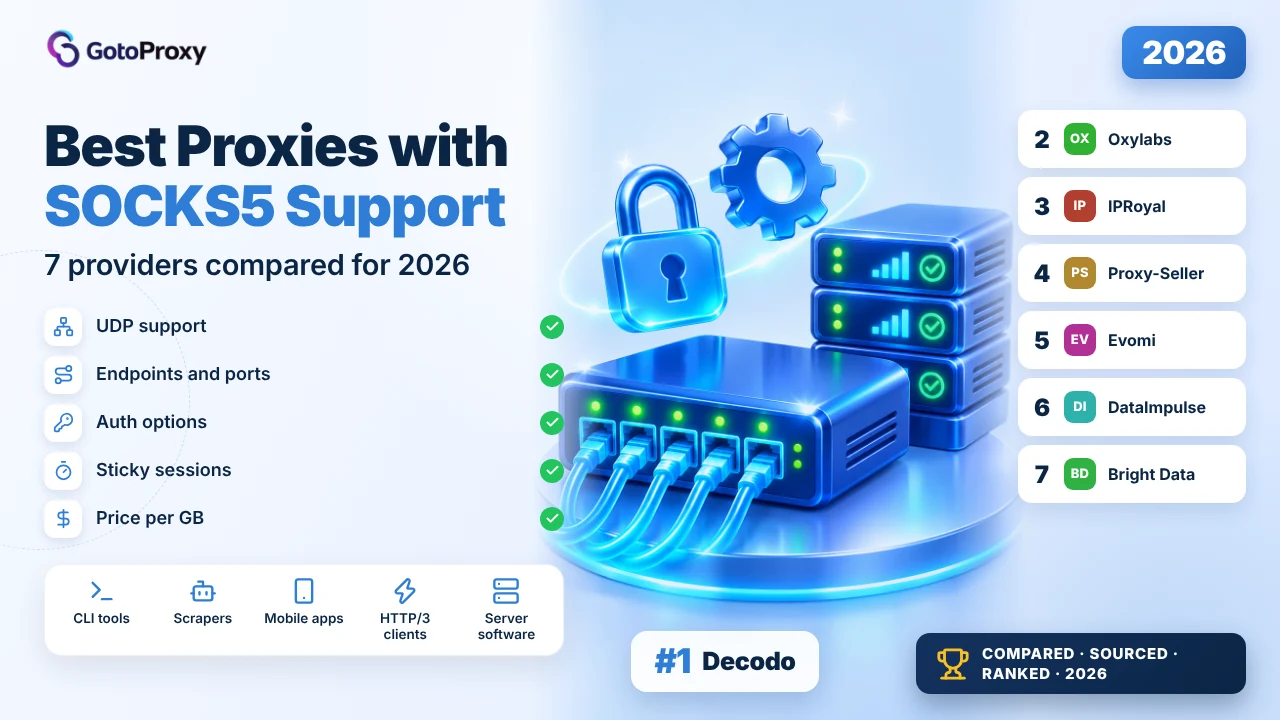
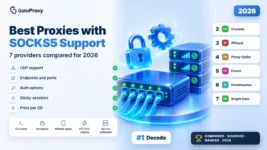
The best proxies with SOCKS5 support in 2026 are Decodo, Oxylabs and IPRoyal. Decodo runs SOCKS5 on residential and dedicated ISP, with UDP and a documented port list, from $3.75 per GB. Oxylabs carries SOCKS5 over TCP and UDP with HTTP/3. IPRoyal adds UDP on its datacenter and ISP proxies and 7-day residential sessions.
- UDP is the real divider: Decodo, Oxylabs, IPRoyal’s ISP and datacenter, and Proxy-Seller’s residential carry UDP; Evomi’s docs say its SOCKS5 is TCP only.
- Use socks5h, not socks5: the h makes the proxy resolve hostnames, so your local resolver doesn’t see the targets. Bright Data blocks explicit IP targets anyway.
- Ports bite in month one: Oxylabs defaults to target ports 80 and 443, Decodo restricts SMTP and IMAP, and Bright Data residential allows a short HTTPS port list.
What does SOCKS5 support mean on a proxy network?
SOCKS5 is a proxy protocol that forwards raw TCP connections, and optionally UDP, without reading the traffic the way an HTTP proxy does. Any client that speaks SOCKS5 can use it, not just browsers. Support varies a lot between networks: UDP, target ports, DNS handling and entry points all differ.
Three details decide whether SOCKS5 works for your stack. First comes UDP associate, needed for QUIC, HTTP/3 and many game or voice clients. Next is remote DNS: with socks5h, the proxy resolves hostnames. Last is auth: Chrome doesn’t support SOCKS5 username and password, as Oxylabs’ docs point out.
Connect with curl
curl --proxy socks5h://USERNAME:PASSWORD@HOST:PORT https://example.comConnect with Python requests
import requests  # needs: pip install "requests[socks]"

proxy = "socks5h://USERNAME:PASSWORD@HOST:PORT"
r = requests.get("https://example.com", proxies={"http": proxy, "https": proxy}, timeout=30)
print(r.status_code)
If a provider’s docs don’t mention UDP, assume its SOCKS5 is TCP only until support confirms otherwise.
Why choose SOCKS5 over an HTTP proxy?
HTTP proxies understand web requests, while SOCKS5 proxies just pass connections through. That makes SOCKS5 the right pick when the client isn’t a browser, when you need UDP, or when you want the proxy to handle DNS. It isn’t faster by default, and some targets treat SOCKS5 traffic differently.
- Any TCP client: Database tools, SSH and custom apps can use SOCKS5, while an HTTP proxy mostly serves web requests and CONNECT tunnels.
- UDP for QUIC and HTTP/3: With UDP associate, HTTP/3 and other UDP traffic can pass through. Oxylabs and Decodo both document HTTP/3 over SOCKS5 with UDP.
- DNS on the proxy side: The socks5h scheme sends hostnames to the proxy, which resolves them, so geo-DNS answers match the exit IP instead of your location.
- No header rewriting: SOCKS5 doesn’t add or change HTTP headers, so what your client sends is exactly what the target receives at the other end.
- Some targets notice: Oxylabs’ docs say some targets detect SOCKS5 traffic, so test your real targets on both protocols before switching a whole fleet.
How do you set up SOCKS5 proxies for production?
Most SOCKS5 problems in the first month come from three places: the wrong scheme, a blocked port, or a client that can’t send credentials. Set these up once and the rest is ordinary proxy work. The steps below assume you already have a plan and credentials from one of the providers reviewed here.
- Use the SOCKS5 endpointCopy the provider’s SOCKS5 host and port. Evomi uses separate ports per product, and DataImpulse uses port 824 for rotating SOCKS5.
- Pick socks5hWrite socks5h:// in curl and Python so DNS resolves at the proxy. Bright Data blocks explicit IP targets, so hostnames are required there.
- Check target portsConfirm your target port is open. Oxylabs defaults to 80 and 443, and Decodo’s ISP docs list five open ports and restrict mail.
- Handle browser authChrome can’t send SOCKS5 credentials. Use IP whitelisting where the provider allows it, or a local forwarder that adds the login.
- Set sessions in the usernameFor sticky IPs, add the session flags to the username as Oxylabs documents, or pick a sticky port at DataImpulse.
- Test UDP separatelyIf you need HTTP/3 or other UDP traffic, test it on its own. TCP working tells you nothing about UDP associate.
Managing many SOCKS5 users from code? Our list of Best Proxies with API Access compares the provider APIs for sub-users, whitelists and traffic limits.
Which are the best proxies with SOCKS5 support in 2026?

Decodo wins because its docs cover the details that break SOCKS5 setups: UDP and TCP over SOCKS5 on dedicated ISP, HTTP/3 via SOCKS5 with UDP on residential, a list of open ports and restricted mail. Residential starts at $3.75 per GB with a 3-day trial. The weakness: concurrency isn’t stated.

Month one starts with a 3-day trial of 100 MB, after which the plan activates. Residential runs $3.75 per GB at 3 GB down to $2 at 1,000 GB, plus VAT. The refund rule is 14 days on a first purchase if you’ve used at most 20% of the traffic, and it doesn’t apply to the trial.
Residential traffic goes through gate.decodo.com:7000 with user:pass or IP whitelisting, and targeting covers continent, country, state, city, ZIP and ASN at no extra cost. The page lists HTTP/3 via SOCKS5 with UDP, a MASQUE gateway, 115M+ IPs, sticky sessions from minutes to days and 99.92% advertised success.
Dedicated ISP (isp.decodo.com:10001 in the examples) supports SOCKS5 with UDP and TCP. The docs list open ports 80, 443, 563, 8443 and 43, restrict SMTP and IMAP, and recommend socks5h so DNS resolves on the proxy. Dedicated ISP costs $9.99 for 3 IPs, dropping to $2 per IP at 2,000.
- Residential: $3.75 per GB at 3 GB, $2 at 1,000 GB (+VAT)
- HTTP/3 via SOCKS5 with UDP; MASQUE gateway
- Dedicated ISP: SOCKS5 over UDP and TCP; ports 80, 443, 563, 8443 and 43 open
- Targeting down to ZIP and ASN included
- 3-day trial; 14-day refund on a first purchase (max 20% used)
- HTTP/3 and UDP clients on residential IPs
- Fixed ISP IPs for SOCKS5 apps
- Teams that want documented port rules
- UDP documented on two products
- Clear open-port list
- ZIP and ASN targeting included
- Concurrency limit not stated
- SMTP and IMAP restricted
- Refund void after 20% of traffic
| Plan | Price | Traffic | Per GB |
|---|---|---|---|
| 3 GB | $11.25/mo | 3 GB | $3.75 |
| 50 GB | Monthly | 50 GB | $3.00 |
| 250 GB | Monthly | 250 GB | $2.50 |
| 1,000 GB | Monthly | 1,000 GB | $2.00 |
The residential pricing page gives no concurrency number. The port list and socks5h advice come from the dedicated ISP docs; residential SOCKS5 ports aren’t listed separately.
Verdict: The most complete SOCKS5 documentation here, at a mid-range price. Read the full Decodo review →

Oxylabs has the deepest protocol support here: HTTP, HTTPS, HTTP/3 and SOCKS5, with SOCKS5 over both TCP and UDP and a MASQUE option. Sessions last up to 24 hours. The weakness for SOCKS5: there are no country-specific entry points, so geo-targeting goes in the username, and targets default to ports 80 and 443.
The protocol docs list one SOCKS5 entry, socks5h://pr.oxylabs.io:7777, with location flags carried in the username, such as a country code after cc. There are no country-specific entry points for SOCKS5. By default, traffic reaches target ports 80 and 443, and the docs warn that some targets detect SOCKS5 traffic.
UDP is supported over SOCKS5, with one caveat in the docs: Google is restricted over UDP. A MASQUE option runs on UDP port 50000. The docs also note that Chrome doesn’t support SOCKS5 authentication, so plan for IP whitelisting, with 10 whitelisted IPs and 3 proxy users on residential.
First-month costs: a $5 welcome credit, then $6 per GB up to 2 GB, $5 up to 20 GB, $4 up to 125 GB and $2.50 from 1,000 GB. Starter is $15 a month. Concurrency is unlimited, sessions default to 10 minutes and extend to 1,440, and the page advertises 99.95% success.
- SOCKS5 over TCP and UDP; HTTP/3; MASQUE on UDP port 50000
- Entry socks5h://pr.oxylabs.io:7777, geo flags in the username
- Default target ports 80 and 443
- Sessions up to 1,440 minutes; unlimited concurrency
- $6 per GB on small buys, $2.50 from 1,000 GB; $5 credit
- HTTP/3 and QUIC clients
- Long sessions over SOCKS5
- Large parallel jobs
- UDP and HTTP/3 documented
- Unlimited concurrency
- Docs flag Chrome and Google limits up front
- No country-specific SOCKS5 entry points
- Default target ports only 80 and 443
- $6 per GB on small buys
| Plan | Price | Traffic | Per GB |
|---|---|---|---|
| Up to 2 GB | Per GB | Up to 2 GB | $6.00 |
| Up to 20 GB | Per GB | Up to 20 GB | $5.00 |
| Up to 125 GB | Per GB | Up to 125 GB | $4.00 |
| 1K+ GB | Per GB | 1,000 GB+ | $2.50 |
The docs don’t say how to reach target ports beyond 80 and 443 or which targets detect SOCKS5. The residential page gives two response figures, 0.41 s and an average of 0.6 s.
Verdict: The deepest protocol support here, as long as your targets live on ports 80 and 443. Read the full Oxylabs review →

IPRoyal splits SOCKS5 support by product, and its help article says so plainly: datacenter and ISP proxies carry SOCKS5 over TCP and UDP, while residential is TCP only. Residential sessions last up to 7 days, the longest here. The weakness: the article says traffic from the proxy to the target is always HTTP or HTTPS.

The protocol article lists HTTP, HTTPS/TLS or SOCKS5 between you and the residential proxy over TCP, and HTTP or SOCKS5 over TCP and UDP for datacenter and ISP. From the proxy to the target, it says traffic is always HTTP or HTTPS, which suggests non-web protocols won’t pass even when your client speaks SOCKS5.
ISP costs $1.80 per proxy for 24 hours, $2.70 for 30 days and $2.40 for 90 days, from 500K+ IPs in 31+ countries with unlimited sessions. Datacenter costs $1.57 per proxy for 30 days in 50+ countries, with unlimited threads per proxy. Both list IP and username-password authentication.
Residential is the session pick: sticky up to 7 days over HTTP(S) or SOCKS5, 64M+ IPs in 195+ countries, unlimited concurrency and traffic that never expires. It costs $7 per GB for 1 GB and $1.75 from 10 TB. First-month friction: the free trial button has no terms beside it, and no refund rule is on the page.
- Datacenter and ISP: SOCKS5 over TCP and UDP
- Residential: SOCKS5 over TCP only; sticky up to 7 days
- ISP from $1.80 for 24 hours; datacenter $1.57 for 30 days
- Residential $7 per GB at 1 GB, $1.75 from 10 TB
- Residential traffic never expires
- UDP apps on fixed IPs
- Week-long sticky sessions
- Testing an ISP IP for 24 hours
- UDP on two static products
- Longest sticky sessions here
- Traffic never expires
- Residential SOCKS5 is TCP only
- Proxy-to-target traffic stated as HTTP or HTTPS only
- No refund terms on the pages read
| Plan | Price | Traffic | Per GB |
|---|---|---|---|
| Residential 1 GB | $7.00 | 1 GB | $7.00 |
| Residential 10 GB | Subscription | 10 GB | $5.25 |
| Residential 10 TB+ | Custom | 10 TB+ | $1.75 |
| ISP 30 days | $2.70/IP | Fair usage | Per IP |
The protocol article doesn’t list ports or say whether mobile proxies support SOCKS5. Its statement that destination traffic is always HTTP or HTTPS isn’t explained any further.
Verdict: Pick it for UDP on static IPs or 7-day residential sessions, not for non-web protocols. Read the full IPRoyal review →

Proxy-Seller supports SOCKS5 on every product it prices, and its residential page lists UDP and QUIC. Static IPv4 costs $0.90 per IP and ISP $1.50, both with no traffic limits. Login, IP allowlisting or both work. The weakness: the pages read give no port list or SOCKS5 endpoint, so you learn those after you buy.

The residential page lists HTTP, HTTPS and SOCKS5 with UDP and QUIC, 47M+ IPs in 220+ locations, unlimited concurrency, 99.5% advertised success and about 0.35 s response. Sticky sessions last for the task, with session TTL controls but no stated maximum. It names Scrapy, Puppeteer, Playwright and Selenium as working natively.
Static IPs are the value play for SOCKS5 tools. IPv4 for the US, UK and Germany costs $0.90 per IP for 5 and $0.50 for 3,000, and ISP for the US and UK costs $1.50 for 5 and $0.95 from 1,500. The price page lists HTTP(S) and SOCKS5, a 1 Gbps channel and no traffic limits.
Month one: residential has a 3-day trial that isn’t refundable, and the residential page names a general 72-hour refund window, while the price page offers a refund or replacement within 24 hours of delivery for IPs. Residential costs $3.50 per GB for 1 GB and $1.45 at 1,000 GB, valid for 30 days.
- SOCKS5 on IPv4, ISP and residential
- Residential: UDP and QUIC listed; unlimited concurrency
- IPv4 from $0.90 per IP; ISP from $1.50
- Login, IP allowlist or both
- Residential $3.50 to $1.45 per GB, valid 30 days
- SOCKS5 tools on fixed IPs
- Budget static fleets
- Residential UDP on a budget
- SOCKS5 on every priced product
- UDP and QUIC on residential
- Cheap static IPs with no traffic limit
- No SOCKS5 port list on the pages read
- Refund windows differ by page (24 vs 72 hours)
- Residential traffic expires after 30 days
| Plan | Price | Traffic | Per GB |
|---|---|---|---|
| Residential 1 GB | $3.50 | 1 GB | $3.50 |
| Residential 1,000 GB | Volume | 1,000 GB | $1.45 |
| IPv4 USA, 5 IPs | $0.90/IP | No limit | Per IP |
| ISP USA, 5 IPs | $1.50/IP | No limit | Per IP |
The price table doesn’t name the rental period for static IPs. The residential page’s 99.7% uptime figure appears only in its meta description, not in the page body.
Verdict: The cheapest way to run SOCKS5 tools on fixed IPs, with UDP on residential. Read the full Proxy-Seller review →

Evomi has the cheapest SOCKS5 traffic here: residential Core from $0.99 per GB pay as you go and datacenter from $0.45. Its protocol docs give a separate SOCKS5 host and port for each product. The weakness: the docs say SOCKS5 is TCP only, with no UDP, while the static residential page lists UDP.

The protocol table gives SOCKS5 endpoints per product: residential rp.evomi.com:1002, mobile mp.evomi.com:3002 and datacenter dcp.evomi.com:2002, with HTTPS on a separate evomi-proxy.com host. Authentication is your proxy username and password on every port. Static residential isn’t in that table, so its SOCKS5 endpoint comes from the dashboard.
The docs and the product pages disagree on one point: the docs say SOCKS5 runs over TCP and UDP isn’t supported, while the static residential product page lists HTTP, SOCKS5 and UDP. If you need UDP, confirm it with support before buying. Datacenter doesn’t support IP whitelisting, so browsers need a forwarder.
Prices are the draw. Residential Core costs $0.99 per GB pay as you go from 15 GB, $0.49 on the $49, 100 GB plan, and Premium $3.98. Datacenter costs $0.45 per GB pay as you go, with sessions up to 24 hours. The free trial rolls into the $49 plan, and refunds are capped.
- SOCKS5 over TCP only, per the docs
- rp.evomi.com:1002, mp.evomi.com:3002, dcp.evomi.com:2002
- Residential Core from $0.99 per GB; $0.49 on the 100 GB plan
- Datacenter $0.45 per GB; sessions up to 24 hours
- Free trial; refund within 30 days, capped
- Budget TCP-only SOCKS5 scraping
- Mobile SOCKS5 on its own port
- Datacenter SOCKS5 at $0.45 per GB
- Cheapest SOCKS5 traffic here
- Clear per-product SOCKS5 ports
- Free trial
- No UDP over SOCKS5, per the docs
- Docs and product page disagree on UDP
- No IP whitelisting on datacenter
| Plan | Price | Traffic | Per GB |
|---|---|---|---|
| Core pay as you go | From 15 GB | 15 GB+ | $0.99 |
| Core plan | $49/mo | 100 GB | $0.49 |
| Premium pay as you go | Per GB | Any | $3.98 |
| Datacenter pay as you go | $0.45 | 1 GB | $0.45 |
The residential page doesn’t state sticky session length or an advertised success rate. The static residential product page lists UDP, which the protocol docs say SOCKS5 doesn’t carry.
Verdict: The cheapest SOCKS5 gigabytes here, for jobs that only need TCP.

DataImpulse keeps SOCKS5 simple: one gateway, gw.dataimpulse.com, with SOCKS5 rotating on port 824, HTTP on 823 and sticky sessions on ports 10000 to 20000. Residential costs $1 per GB and never expires. The weakness: the protocol page says nothing about UDP, and it doesn’t name the products it covers.

Rotation is set by port, not by username flags, which keeps config files easy to read: 824 for a new IP per connection, any port from 10000 to 20000 for a sticky IP. The docs’ examples use login and password, and the residential page also lists IP authorization for clients that can’t send credentials.
Residential costs $1 per GB, with an Intro pack of 5 GB for $5, $50 for 50 GB and $800 for 1 TB ($0.80). Traffic never expires, which suits month-one testing. The page lists 90M+ IPs in 195+ countries, 99.51% advertised success and about 1 s response. City and ASN targeting cost extra.
Datacenter traffic, also on SOCKS5, costs $0.50 per GB with a 10 GB Intro for $5, and sticky sessions there last up to 30 minutes. The refund policy covers 7 days. What the pages don’t cover: UDP, target port rules, and how long a residential sticky session lasts.
- gw.dataimpulse.com: HTTP 823, SOCKS5 824, sticky 10000-20000
- Residential $1 per GB; $0.80 on 1 TB
- Datacenter $0.50 per GB; sticky up to 30 minutes
- Traffic never expires
- 7-day refund policy
- Cheap residential SOCKS5
- Configs that rotate by port
- Low-volume testing for $5
- Port-based rotation, easy to script
- $1 per GB residential
- Traffic never expires
- No UDP information
- Residential sticky length not stated
- City and ASN targeting cost extra
| Plan | Price | Traffic | Per GB |
|---|---|---|---|
| Residential Intro | $5 | 5 GB | $1.00 |
| Residential Basic | $50 | 50 GB | $1.00 |
| Residential Advanced | $800 | 1 TB | $0.80 |
| Datacenter Intro | $5 | 10 GB | $0.50 |
The protocol page doesn’t name the products it covers, so datacenter ports may differ. The datacenter page gives both about 1 s and sub-100 ms latency, which can’t both describe the same thing.
Verdict: The easiest SOCKS5 config here at $1 per GB; ask about UDP first.

Bright Data supports SOCKS5 on all three of its main networks, datacenter, ISP and residential, through one host, brd.superproxy.io:22228. That’s the widest coverage here. The weakness: residential SOCKS5 only reaches HTTPS targets on a short list of ports, explicit IPs are blocked, and residential access needs company KYC.
The SOCKS5 docs set strict rules. You connect by hostname only, because explicit IP targets are blocked. On residential, SOCKS5 reaches HTTPS targets on listed ports such as 8080, 8443, 4443 and 4444. Datacenter and ISP allow all ports above 1024. Authentication uses your zone username and password, and mobile and UDP aren’t mentioned.
Month one has the most friction here. Residential needs a verified company and a human-reviewed KYC check, and personal email accounts aren’t eligible. On the upside, the free trial doesn’t bill trial traffic, and first deposits are matched up to $500. Residential is $4 per GB pay as you go with a promo code, $8 at list price.
Datacenter SOCKS5 is the easy door: $0.60 per GB pay as you go or from $1.40 per IP, with 1,300,000+ IPs. ISP starts at $1.80 per IP. The residential pool is listed at 400M+ IPs in 195 countries, with free country, state, city and ZIP targeting.
- SOCKS5 on datacenter, ISP and residential
- brd.superproxy.io:22228; hostnames only
- Residential SOCKS5: HTTPS targets on listed ports
- Datacenter and ISP: all ports above 1024
- Residential needs company KYC; free trial
- Companies using several proxy types
- Datacenter SOCKS5 on high ports
- Teams that already passed KYC
- SOCKS5 on three networks
- One host for all of them
- Trial traffic isn’t billed
- Residential SOCKS5 limited to listed HTTPS ports
- Explicit IP targets blocked
- KYC excludes personal email accounts
| Plan | Price | Traffic | Per GB |
|---|---|---|---|
| Residential pay as you go | $4/GB promo | Any | $4.00 |
| Residential $499 | $499/mo | 141 GB | $4.00 |
| Residential $999 | $999/mo | 332 GB | $3.00 |
| Datacenter pay as you go | $0.60/GB | Any | $0.60 |
The SOCKS5 docs don’t mention UDP or mobile proxies. The residential pricing page lists SOCKS5 but no sticky session length, and concurrency isn’t stated either.
Verdict: The widest SOCKS5 coverage, with the tightest residential rules and the slowest start. Read the full Bright Data review →
How do SOCKS5 provider prices and sessions compare?
The bars show advertised figures from provider pages and docs read on November 12, 2026: residential prices per GB and the longest stated sticky session. They are not measurements of SOCKS5 speed.
Figures are the ones each provider publishes, checked on November 12, 2026. They are advertised numbers, not test results.
How do the 7 SOCKS5 proxy providers compare?
One table, the same rows for every provider, in ranking order. Details come from docs and pricing pages read on November 12, 2026, and bold marks the strongest value in each row.
| Decodo Top | Oxylabs | IPRoyal | Proxy-Seller | Evomi | DataImpulse | Bright Data | |
|---|---|---|---|---|---|---|---|
| SOCKS5 on | Residential, dedicated ISP | Residential | Residential, ISP, datacenter | Residential, IPv4, ISP | Residential, mobile, datacenter | Products not named | Datacenter, ISP, residential |
| UDP | Yes, ISP; HTTP/3 on residential | Yes, plus HTTP/3 | ISP and datacenter only | Residential (UDP, QUIC) | No, TCP only | Not on page | Not on page |
| Endpoint | gate.decodo.com:7000; isp.decodo.com:10001 | pr.oxylabs.io:7777 | Not on page | Not on page | rp :1002, mp :3002, dcp :2002 | gw.dataimpulse.com:824 | brd.superproxy.io:22228 |
| Port rules | 5 open ports listed; mail restricted | Targets 80 and 443 by default | Not on page | Not on page | Not on page | Not on page | Residential: short HTTPS list |
| Geo with SOCKS5 | Country to ZIP and ASN | Username flags, no country entry | 31+ ISP countries | Country, state, city, ISP | Not on protocol page | City and ASN cost extra | Country, state, city, ZIP |
| Sticky max | Minutes to days | 24 hours | 7 days | Task length | Not stated | Sticky ports, length not stated | Not stated |
| Trial and refund | 3-day trial; 14-day refund | $5 credit | Trial button, no terms | 3-day resi trial; 72-hour refund | Free trial; refund capped | 7-day refund | Free trial; KYC for residential |
| Residential entry | $3.75/GB | $6/GB | $7/GB | $3.50/GB | $0.99/GB | $1/GB | $4/GB promo |
Which SOCKS5 setup fits your workload?
Pick the network type first, then the provider. Each setup below solves a different SOCKS5 problem, and the wrong one wastes the first month.
SOCKS5 proxies: questions from power users
I read each provider’s SOCKS5 or protocol docs, plus their residential, ISP and datacenter pricing pages, on November 12, 2026. Nothing was bought or connected, so support reply times and dashboards aren’t rated. Scores weight protocol depth 35%, documented limits 20%, sessions and targeting 20%, price 15% and onboarding 10%. Compare more proxy providers, or see ProxyRates community scores. Scores are our editorial rating built from published prices, features and terms. They are not lab measurements.