
7 Best Proxies for TikTok Account Management in 2026
7 Best Proxies for TikTok Account Management in 2026
Picture each TikTok account logging in from the same phone-network IP every day, with no surprise address changes and a bill you can predict. That’s the goal. This guide shows how to get there with the best proxies for TikTok account management, ranked on session length first and price second. GoToProxy earns a commission on some links here at no extra cost to you.
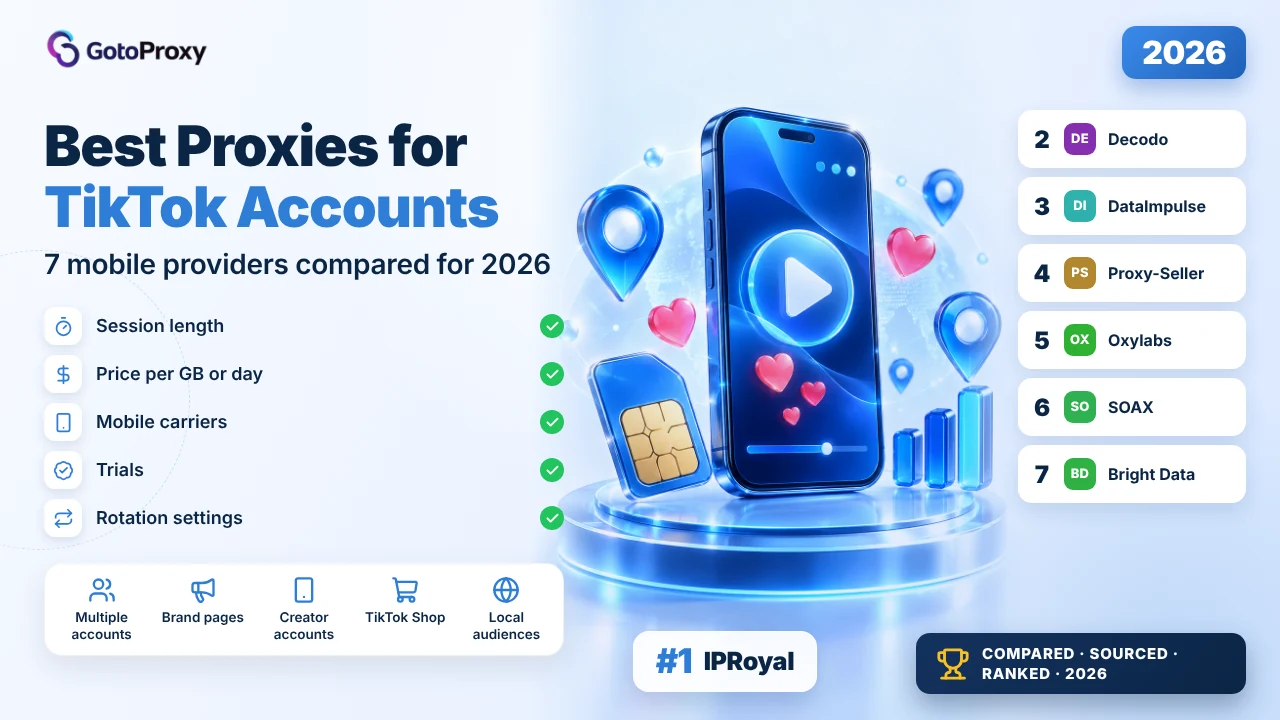
The best proxies for TikTok account management in 2026 are IPRoyal, Decodo and DataImpulse. IPRoyal rents dedicated mobile IPs from about $10 a day or $130 a month. Decodo sells mobile data from about $3.75 a gigabyte with a free trial and 700+ carriers. DataImpulse is cheapest at about $2 a gigabyte, with 2-hour sticky sessions.
- Session length beats pool size. IPRoyal and Proxy-Seller rent dedicated mobile IPs; Oxylabs holds sessions for 24 hours; DataImpulse for 2 hours; Decodo doesn’t say.
- Mobile doesn’t have to be expensive. DataImpulse charges about $2 a gigabyte and Decodo about $3.75, against about $10 a day for a dedicated IP.
- The common mistake: leaving rotation on per request while logged in, so each action comes from a new address. Use a sticky or dedicated IP per account.
What does TikTok account management need from a proxy?
Above all, a stable address per account. Logged-in accounts look most normal when each one keeps the same IP, from a real mobile network, in the account’s own country. After that come price per gigabyte or per day, how easy setup is, and whether you can try before paying.
Two provider pages say it plainly: IPRoyal’s TikTok page calls mobile proxies the absolute best for TikTok, and DataImpulse’s says it is better to use mobile proxies, with residential also an option. Mobile proxies route through phone carriers, so the address looks like an ordinary phone on 4G or 5G.
Pair the proxy with a separate browser or device profile per account. Our guide to anti-detect browsers covers the profile side, and proxies for social media covers the wider use case.
One account, one stable mobile IP, one profile.
Why do TikTok account managers use mobile proxies?
Because the alternative is many accounts sharing one home or office address, which links them together. A mobile proxy gives each account its own carrier IP. The marketing claims any proxy works; the providers’ own TikTok pages recommend mobile first.
- Separate addresses: Each account gets its own IP, so one flagged account doesn’t drag others down with it.
- Carrier IPs: IPRoyal and Proxy-Seller name carriers such as T-Mobile, Verizon and Vodafone, matching how real users connect.
- Local presence: Accounts aimed at one country can log in from that country, from 140+ countries at Oxylabs to 195 at DataImpulse.
- Predictable cost: Dedicated IPs cost a fixed amount per day or month; per-GB plans cost about $2 to $7.50 a gigabyte.
- Control over changes: Proxy-Seller rotates only by link or every 5 or 30 minutes; SOAX can lock a session to one node.
How do you set up proxies for TikTok accounts?
Give each account its own sticky or dedicated mobile IP in the account’s country, then confirm the IP stays the same through a full session. The detail people get wrong is rotation: per-request rotation sends every tap from a new address, which defeats the point.
- Pick sticky or dedicatedChoose a dedicated mobile IP, or a sticky session long enough for your longest login, before anything else.
- Match the countrySet the proxy country to the account’s audience country, and keep it the same every day.
- One IP per accountAssign each account its own IP or a very small group, and write the mapping down.
- Turn off per-request rotationIn the dashboard, switch rotation to sticky, by link or by long timer while accounts are logged in.
- Check the IP twiceOpen an IP checker at the start and end of a session; the address should match both times.
- Mind data limitsNote daily or monthly caps, such as IPRoyal’s 30 gigabytes a day per dedicated proxy.
import time

import requests

PROXY = "http://PROXY_USER:PROXY_PASS@PROXY_HOST:PROXY_PORT"
proxies = {"http": PROXY, "https": PROXY}

# The IP should be the same in both checks if the session is sticky
first = requests.get("https://ipinfo.io/ip", proxies=proxies, timeout=30).text.strip()
time.sleep(600)
second = requests.get("https://ipinfo.io/ip", proxies=proxies, timeout=30).text.strip()
print(first, second, "stable" if first == second else "changed")You can also paste the proxy into our proxy checker to see its country, or compare more providers on our proxy providers hub.
Sticky first, country second, price third.
Which are the best proxies for TikTok account management in 2026?

IPRoyal fits account management best because its dedicated mobile proxies keep the same phone-network IP for a day, a month or three. Its mobile page lists carriers for 15 countries, from T-Mobile and Verizon in the US to Vodafone in the UK. The price: about $10 for a day, $130 for 30 days, falling to $117 a month on a 90-day plan.

Here is what most reviews skip: for logged-in accounts, a stable address matters more than a huge rotating pool. IPRoyal’s dedicated plans reserve IPs for you in one location, and you switch among them only when you choose. Its TikTok page says mobile proxies are the absolute best for TikTok, and residential a good option.
Do not fall for unlimited. Dedicated plans carry a daily data limit of 30 gigabytes per proxy, per the FAQ, which is plenty for account work but not for bulk video downloads. Rotating mobile costs about $6.80 a gigabyte at 2 gigabytes, down to about $5.20 at 100.
There’s no free trial; the closest thing is a 24-hour dedicated plan from about $10. You can ask for a replacement or refund within 24 hours if you can’t connect, as long as you’ve used under 500 megabytes on dedicated or 100 on rotating.
- Dedicated mobile: about $10 a day, $130 for 30 days, $117 a month on 90 days
- Rotating mobile: about $6.80 a GB at 2 GB, $5.20 at 100 GB
- 4.5M+ mobile IPs; carriers named for 15 countries
- 30 GB a day limit per dedicated proxy
- No free trial; 24-hour refund window with usage caps
- Long-lived TikTok accounts
- One fixed carrier IP per account
- US and EU carrier targeting
- Dedicated IPs for up to 90-day terms
- Carriers named per country
- Custom rotation in the dashboard
- Mobile proxies recommended on its own TikTok page
- No free trial
- About $130 a month per dedicated IP
- 30 GB daily cap on dedicated
| Plan | Price | What you get | Data limit or rate |
|---|---|---|---|
| Dedicated, 24 hours | From $10.11 | One reserved mobile IP | 30 GB a day |
| Dedicated, 30 days | From $130 | One reserved mobile IP | 30 GB a day |
| Dedicated, 90 days | From $117 a month | One reserved mobile IP | 30 GB a day |
| Rotating, 2 GB | $13.60 | Whole mobile pool | $6.80 per GB |
The mobile page says refund rules differ between rotating and dedicated plans and points to a help article. Carriers are listed for 15 countries; others are described only as available.
Verdict: Best for keeping each TikTok account on one stable mobile IP; not ideal on a tight budget. Read the full IPRoyal review →

Decodo is the friendliest start. Mobile data costs about $3.75 a gigabyte on its 2 gigabyte plan, or $7.50 in total, and its page lists 700+ carriers in 160+ locations with a free trial and a 14-day money-back. The gap for account work: it says sticky sessions keep one IP for a configurable time, but never says how long.

The marketing claims under half a second per response; the same page’s FAQ says under 0.74 seconds and calls it carrier-dependent. Neither matters much for TikTok accounts, where a steady IP beats raw speed. The page also advertises 99.75% success, or about 99 requests in 100.
Prices fall steadily: about $3.50 a gigabyte at 8, $3 at 50, $2.75 at 100 and $2.25 at 500. Pay as you go is about $4 a gigabyte. All tiers show a 50% saving against a higher price, so check the final total in the cart.
Test the session length during the trial. Log in one account, keep the session open for a few hours, and confirm the IP doesn’t change before you move every account over.
- Mobile from $3.75 a GB (2 GB for $7.50)
- $2.25 a GB at 500 GB
- 10M+ mobile IPs, 700+ carriers, 160+ locations
- Free trial and 14-day money-back
- 99.75% success (advertised)
- First mobile proxy purchase
- Small account portfolios
- Carrier choice across many countries
- Low entry price
- Free trial plus money-back
- 700+ carriers
- Clear tier pricing
- Sticky session maximum not stated
- Conflicting response-time figures
- No dedicated mobile IPs on the page read
| Plan | Price | What you get | Data limit or rate |
|---|---|---|---|
| 2 GB | $7.50 a month | Mobile, rotating or sticky | $3.75 per GB |
| 50 GB | $150 a month | Mobile | $3.00 per GB |
| 500 GB | $1,125 a month | Mobile | $2.25 per GB |
| Pay as you go | $4 per GB | No commitment | $4.00 per GB |
Response time is given as under 0.5 s in the feature list and under 0.74 s in the FAQ. The trial’s length and allowance aren’t stated on the mobile page.
Verdict: Best for a cheap, low-risk first test; not ideal until you’ve confirmed sessions hold long enough. Read the full Decodo review →

DataImpulse sells the cheapest mobile data here: about $2 a gigabyte, with 2.5 gigabytes for $5 for new users and about $1.60 a gigabyte on its 1 terabyte plan. Unused data never expires. The limit for account work is the session: sticky IPs last up to 2 hours, so long logins will see an address change.

Do not fall for the idea that mobile proxies must cost $10 a day. DataImpulse’s mobile page lists 16M+ mobile IPs in 195 countries and charges by the gigabyte, so light account work costs very little. Its own TikTok page says mobile is the better choice and residential is also an option.
Here is what most reviews skip: carriers. The page names none, only 3G, 4G, 5G and LTE networks, so you can’t pick a specific operator. City, ASN and ZIP targeting cost extra; country targeting is included.
Plan sessions around the 2-hour limit. Schedule account tasks in short blocks, and keep each account on the same country so a new IP at least comes from the same place. Its residential page lists a 7-day refund policy.
- Mobile $2 a GB; 2.5 GB for $5 for new users
- $1.60 a GB on the 1 TB plan
- 16M+ mobile IPs in 195 countries
- Sticky sessions up to 2 hours
- Traffic never expires; 7-day refund
- Low-budget account managers
- Short daily posting sessions
- Irregular usage
- Cheapest mobile per GB here
- Traffic never expires
- SOCKS5 support
- Cheap starter pack
- 2-hour sticky limit
- No carriers named
- City targeting costs extra
| Plan | Price | What you get | Data limit or rate |
|---|---|---|---|
| Intro | $5 | 2.5 GB, new users | $2.00 per GB |
| Basic | $50 | 25 GB | $2.00 per GB |
| Advanced | $1,600 | 1 TB | $1.60 per GB |
The mobile page lists top locations by IP count, led by India, Saudi Arabia and Italy, but no carriers. The TikTok page names Sticky Sessions without a duration.
Verdict: Best for cheap mobile data; not ideal if accounts stay logged in for hours.

Proxy-Seller rents dedicated mobile IPs from about $10 each, for as little as one week, and names carriers such as AT&T, T-Mobile, Verizon, Vodafone, Jio and Orange. Rotation happens only when you click a link or every 5 or 30 minutes. That control suits a short campaign. The catch: no free trial, and only 20 countries.

Here is what most reviews skip: the shared option. Proxy-Seller sells both dedicated IPs, used by you alone, and shared ones, used by several customers. For TikTok accounts, pick dedicated, so another customer’s activity can’t follow your IP.
The marketing says unlimited bandwidth; the comparison table on the same page adds carrier fair-use limits, and the calculator lists speeds of 5 to 30 megabits a second. That’s enough for posting and browsing, slow for heavy video uploads.
Order terms run from 1 week to 12 months. The page doesn’t state refund terms; its general return policy offers full refunds within 72 hours for listed cases, and week products end refunds 24 hours after purchase. Code GOTO15OFF works at checkout through our partner link.
- Mobile from $10 per IP
- Rentals from 1 week to 12 months
- Carriers include AT&T, T-Mobile, Verizon, Vodafone, Jio, Orange
- Rotation by link or every 5 or 30 minutes
- Dedicated or shared; 5 to 30 Mbit/s
- One-week or one-month campaigns
- Dedicated carrier IPs
- US carrier targeting
- Weekly rentals
- Rotation on your command
- Named carriers
- Coupon code
- No free trial
- Only 20 countries
- Speed listed at 5 to 30 Mbit/s
| Plan | Price | What you get | Data limit or rate |
|---|---|---|---|
| Mobile, 1 week | From $10 per IP | Dedicated or shared | Carrier fair use |
| Mobile, 1 month | Calculator price | Dedicated or shared | Carrier fair use |
| England, EE | From $13 per IP | Example listing | Carrier fair use |
The calculator showed $0 placeholders for exact periods, so only the starting price and the EE example are confirmed. Refund terms for mobile aren’t on the mobile page.
Verdict: Best for short campaigns on a dedicated carrier IP; not ideal outside its 20 countries. Read the full Proxy-Seller review →

Oxylabs offers static 24-hour sessions on its mobile proxies, the longest of the per-gigabyte options here, from a pool of 20M+ mobile IPs in 140+ countries. That’s a good fit for daily account work without renting a dedicated IP. The price is high at the start: about $7.50 a gigabyte up to 4 gigabytes, falling to $3.50 from 714 gigabytes.
The tiers: about $7.50 a gigabyte up to 4, $6.67 up to 14, $5 up to 100 and $3.50 beyond 714. The Starter subscription is $30 a month. A $5 welcome credit lets you try mobile proxies first.
The marketing claims market-leading success rates without a figure, and a 1.1-second response time. For TikTok accounts, the 24-hour session is the number that matters; response time affects page loads, not whether an account stays logged in.
Here is what most reviews skip: Oxylabs’ residential network restricts some categories, including streaming, mailing and ads, unless a short KYC unlocks them. Check whether your workflow touches any of those before buying.
- Static 24-hour sessions
- 20M+ mobile IPs in 140+ countries
- $7.50 a GB up to 4 GB; $3.50 from 714 GB
- Starter $30 a month
- $5 welcome credit
- Daily account sessions
- Large country coverage
- Teams already on Oxylabs
- 24-hour sessions
- Large mobile pool
- $5 credit to test
- Carrier targeting available
- About $7.50 a GB at entry
- No carriers named
- No success figure published
| Plan | Price | What you get | Data limit or rate |
|---|---|---|---|
| Up to 4 GB | $7.50 per GB | Mobile | 24-hour sessions |
| Up to 100 GB | $5 per GB | Mobile | 24-hour sessions |
| 714 GB and up | $3.50 per GB | Mobile | 24-hour sessions |
The page mentions carrier targeting but names no carriers. Success is described as market-leading without a number.
Verdict: Best for 24-hour mobile sessions billed by the gigabyte; not ideal for small budgets. Read the full Oxylabs review →

SOAX gives the most rotation choices: per request, after a set number of requests, after a set time, on error, or locked to one node with no rotation. That last option is what TikTok accounts need. Its pricing builder shows about $3 a gigabyte for US traffic at 100 gigabytes a month. There’s no free trial, only a free Sandbox without credits.
The marketing quotes over 191 million residential and mobile IPs combined, but no mobile-only figure, and no sticky time limit. Lock a session to a node and check how long it holds before relying on it.
Here is what most reviews skip: the builder’s $3 a gigabyte is for Tier 1, the United States, at 100 gigabytes a month. Smaller plans start at 10 gigabytes on the slider, but no price is shown for them.
SOAX says it verifies every client, and its location pages say residential and mobile proxies are unavailable in the State of Texas. Payment covers cards, wire transfer and several cryptocurrencies.
- Rotation per request, after N requests, by time or on error
- Lock to one node for a sticky session
- $3 a GB US tier at 100 GB a month
- 191M+ residential and mobile IPs combined (FAQ)
- No free trial; unavailable in Texas
- Fine-grained rotation rules
- US-focused accounts
- Verified-customer networks
- Five rotation modes
- Node lock for sticky sessions
- Every client verified
- Card, wire and crypto payment
- No sticky time limit stated
- No price below 100 GB shown
- No free trial
| Plan | Price | What you get | Data limit or rate |
|---|---|---|---|
| Sandbox | Free | No credits | n/a |
| US tier, 100 GB | $200 plan plus $100 credit | Mobile | $3.00 per GB |
Only the US tier price is shown in the builder. The pool figure combines residential and mobile.
Verdict: Best for teams that want precise rotation control; not ideal if you need a trial or a small plan price. Read the full SOAX review →

Bright Data advertises a free trial on all proxy types and 7M+ mobile IPs, but its pricing page says mobile use needs a short compliance check, which may include a video call and verification of company or personal details. The page gives no mobile price. For a solo account manager that’s a lot of friction before the first login.
Here is what most reviews skip: the KYC step comes before the mobile network, not after. Plan a few days for it if your accounts have a launch date.
The pricing page says pay as you go covers all proxy types, including mobile, without listing the rate. Residential is $4 a gigabyte under a 3-month promo, which gives a rough floor but not the mobile price.
Where it helps: teams that need a compliance trail and city targeting, which Bright Data’s location pages describe as free. Trial traffic shows on your dashboard and isn’t billed.
- 7M+ mobile IPs
- Mobile needs a KYC check, possibly a video call
- Free trial on all proxy types
- Mobile price not listed on the pricing page
- Pay as you go covers mobile
- Companies with compliance needs
- Teams already on Bright Data
- City-level targeting
- Free trial
- Compliance screening
- Pay as you go available
- Large overall network
- Mobile price not listed
- KYC before mobile access
- Sticky length not stated
| Plan | Price | What you get | Data limit or rate |
|---|---|---|---|
| Free trial | Free | All proxy types | Not billed |
| Pay as you go | Not listed for mobile | After KYC | Not listed |
The pricing page lists monthly tiers without labelling them mobile, so no mobile rate is confirmed.
Verdict: Best for companies that need screening; not ideal for quick solo account work. Read the full Bright Data review →
How do mobile prices and sessions compare?
These bars put each provider’s published numbers side by side. Dedicated IPs are priced per day or month, rotating mobile per gigabyte. Nobody here ran a benchmark.
Figures are the ones each provider publishes, checked on October 30, 2026. They are advertised numbers, not test results.
How do the 7 best TikTok proxy providers compare?
One table, the same rows for every provider, in ranking order. Bold marks a clear plus. Every cell comes from the provider’s own mobile pages, read on October 30, 2026.
| IPRoyal Top | Decodo | DataImpulse | Proxy-Seller | Oxylabs | SOAX | Bright Data | |
|---|---|---|---|---|---|---|---|
| Session type | Dedicated, 24 h to 90-day terms | Sticky, length not stated | Sticky up to 2 hours | Dedicated, 1 week to 12 months | Static 24-hour sessions | Lock to one node | Not stated |
| Entry price | About $10 a day | About $3.75 a GB | About $2 a GB | From $10 per IP | About $7.50 a GB | About $3 a GB (US, 100 GB) | Not listed |
| Carriers named | Yes, 15 countries | 700+ carriers | None named | AT&T, Verizon, Vodafone and more | None named | None on mobile page | None named |
| Coverage | 15 countries with carriers listed | 160+ locations | 195 countries | 20 countries | 140+ countries | 195+ countries | 195 countries overall |
| Trial | None; 24-hour plan | Free trial, 14-day money-back | 2.5 GB for $5 | None | $5 credit | None; Sandbox | Free trial |
| Data limits | 30 GB a day per dedicated IP | Per-GB plans | Never expires | Carrier fair use | Per-GB plans | Per-GB credits | Not listed |
| Access rules | Buy first, ID for more | KYC and anti-fraud check | Not on page read | KYC for companies | Short KYC for some targets | Every client verified | KYC before mobile |
Which kind of TikTok proxy fits your accounts?
Four set-ups cover most account managers. Choose by how many accounts you run and how long they stay logged in.
Best proxies for TikTok account management: your questions
I read each provider’s mobile proxy page, plus IPRoyal’s and DataImpulse’s TikTok pages, on October 30, 2026. Scores weight session stability 35%, mobile pool and carriers 20%, price 20%, setup and trial 15%, and access rules 10%. Nobody here ran accounts through these proxies. Compare with independent proxy ratings on ProxyRates, and see our IPRoyal review for more on the top pick. Scores are our editorial rating built from published prices, features and terms. They are not lab measurements.